BloxLux logo
BloxLux icon

Create

Templates

Collections

Join Discord

BloxLux logo
BloxLux icon

Create

Templates

Collections

Join Discord

HomeTemplatesComplete Guide to Designing Classic Roblox Hoodie Templates
Streetwear Hoodies & Jackets • 585 × 559 Classic Shirt PNG

Complete Guide to Designing Classic Roblox Hoodie Templates

4 Transparent Hoodie & Jacket PNGs•R6 & R15 Compatible•Pullovers, Zip-Ups, Varsity & Puffers

Pullover hoodies, zip-up track tops, varsity bombers, and quilted puffers are hands-down the most popular custom tops across the Roblox Marketplace. Unlike bulky 3D layered meshes that get disabled in R6 obbies or clip awkwardly through hair accessories, a well-shaded classic Roblox hoodie template fits cleanly on every avatar rig and costs just 10 Robux to publish.

Still, designing your first Roblox hoodie template on a flat 2D sheet trips up almost everyone at first. Because a classic shirt cannot wrap up over your avatar's head, you have to create the illusion of a real 3D hood using a skin cutout on the top shoulder box, drawstrings on the chest, and curved fabric folds draped across the upper back. Below, you will find ready-to-download 585 × 559 transparent PNG overlays for pullovers and jackets, exact pixel coordinates for pockets and cuffs, and a walkthrough for customizing your own streetwear inside BloxLux Streetwear & Hoodie Texture Presets.

Open 3D Hoodie & Shirt EditorOpen 3D Clothing Previewer
585 × 559 Classic Shirt UV Layout

How a Classic Roblox Hoodie Template Maps Every Pocket Hood and Cuff

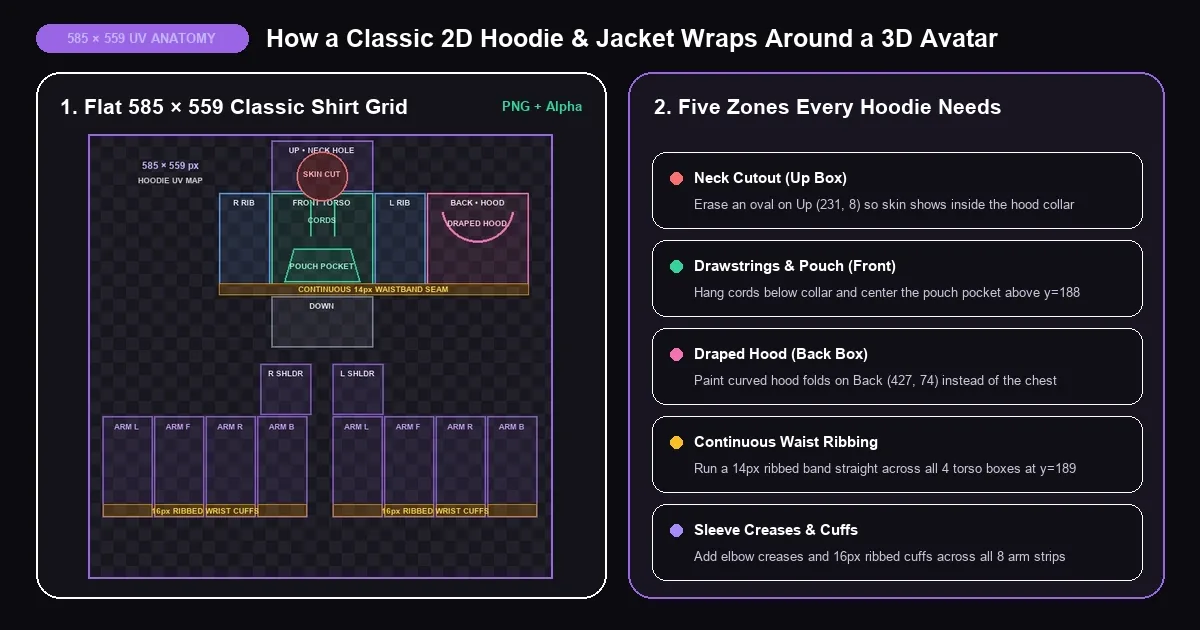
Every hoodie template Roblox designers publish uses the exact same 585 × 559 pixel Classic Shirt grid as tees and suits. What makes a Roblox shirt template hoodie read immediately as heavyweight fleece or outerwear is how five specific zones connect across the torso and arm panels.

Annotated 585x559 classic Roblox hoodie template diagram showing neck cutout, drawstrings, kangaroo pocket, back hood, and ribbed cuffs
Pullover Hoodies & SweatersClosed Front Torso

Mapping the Draped Back Hood Cords and Kangaroo Pouch

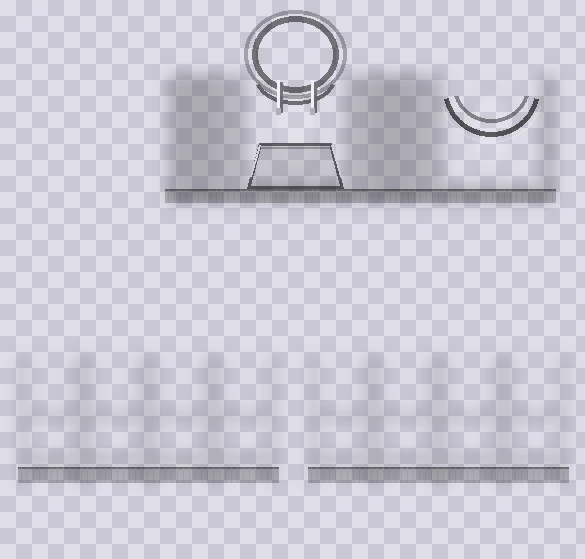
Beginners often make the mistake of drawing a big hood shape on the front chest, which ends up looking like a bib in-game. On a real classic Roblox hoodie template, the front torso only shows the curved V-stitching under the chin, two vertical drawstrings hanging down to roughly y=112, and your trapezoid kangaroo pouch sitting cleanly above the waistband.

Meanwhile, the actual Resting Hood belongs on the upper half of the Back Torso box (427, 74). Painting two soft, U-shaped shadow arcs there makes the hood look folded naturally between your avatar's shoulder blades whenever the camera follows you from behind.
Zip-Ups, Varsity & PuffersSplit Center Placket

Designing Zip-Up Track Tops Varsity Bombers and Puffers

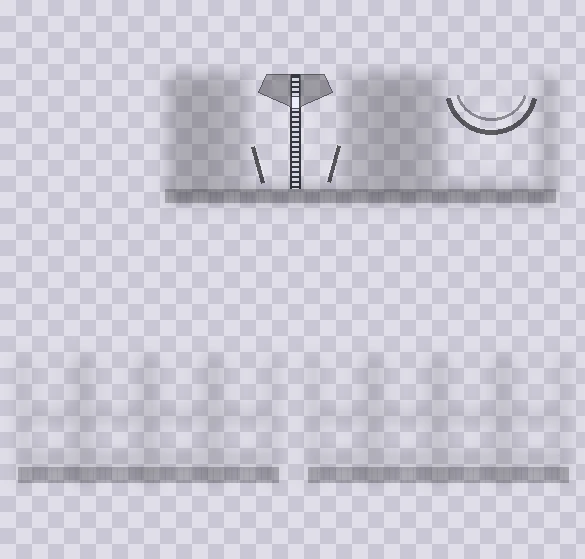
When players search for a Roblox jacket template, they are still working on the exact same 585 × 559 shirt file. Instead of one wide pouch pocket, you split the Front Torso straight down x=295 with metal zipper teeth or varsity snap buttons and angle two welt hand pockets near the lower ribs.

Want an open jacket layered over an inner tee? Paint a 40-pixel vertical strip of white or graphic tee fabric down the middle of Front Torso, or leave that center strip completely transparent so players can mix and match your jacket with different T-shirts or Classic Pants outfits underneath.

Hoodie / Jacket PartUV Box & Pixel ZoneHow to Draw It Cleanly
Neck Cutout & Collar RimUp Box (231, 8 — 128×64)Erase a centered oval so your avatar's neck skin shows inside a thicker hood collar ring
Drawstrings & Aglet TipsUpper Front (x=278 & 312, y=80–112)Draw two symmetrical 3px cords with subtle drop shadows and tiny metallic tips
Kangaroo Pouch PocketLower Front (x=247–343, y=143–188)Center a trapezoid pouch with slanted hand openings and a 16px margin inside left/right seams
Draped 3D Back HoodUpper Back (427, 74 — top 65px)Paint two U-shaped shadow curves hanging down between the shoulder blades
Elastic Waistband HemAll 4 Torso Boxes (y=189–202)Keep a straight 14px ribbed band across Right, Front, Left, and Back so side seams match
Ribbed Wrist Cuffs8 Arm Strips (y=467–482)Add vertical rib lines across the bottom 16 pixels of both sleeves with soft gather creases above
Interactive 360° Streetwear Preview

Inspect Pullover Hoodies Zip Jackets and Puffers Live in 3D

Toggle between the five streetwear styles below and spin the avatar around to see how the back hood, front kangaroo pouch, zipper track, and ribbed cuffs wrap on Blocky, Boy, and Girl bodies.

Customize in 3D Editor
Preparing 3D Avatar...
Charcoal Pullover (#22202C) — notice how keeping the base slightly lighter than pure black makes the kangaroo pouch, drawstrings, and back hood folds pop.
Ready-to-Layer 585 × 559 Transparent PNGs

Download Transparent Roblox Hoodie and Jacket Templates

Every Roblox template hoodie and Roblox jacket template below is formatted to the exact 585 × 559 pixel Classic Shirt standard with borderless alpha transparency—meaning zero black wireframe lines ever show up on your avatar's shoulders or arms. Place any overlay right above your base color in our 3D Editor, Photopea, Paint.NET, or IbisPaint X.

Pullover Hoodie585×559
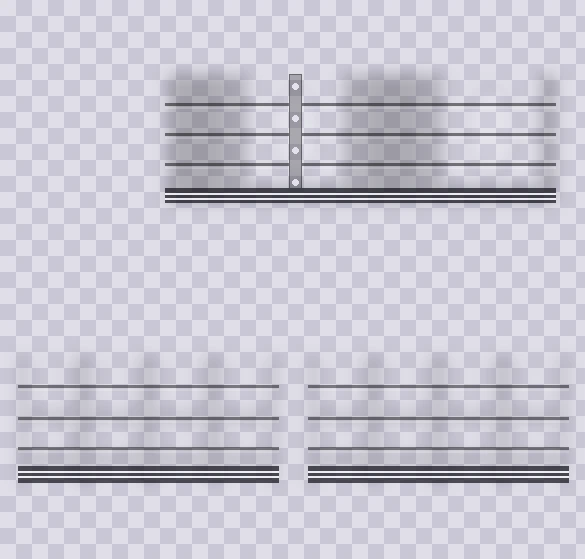
Transparent 585x559 classic Roblox hoodie template PNG with drawstrings, kangaroo pocket, and back hood shading

Pullover Hoodie Shading and Pocket PNG

Drop this see-through fleece layer right above any solid shirt color to get instant drawstrings, a stitched front pouch pocket, ribbed wrists, and a curved hood on the back.

585 × 559 PNGKangaroo PouchBack Hood Drape
Zip-Up Jacket585×559
Transparent 585x559 Roblox jacket template PNG with metallic center zipper, collar lapels, and welt pockets

Zip-Up Streetwear Jacket Overlay PNG

Built for zip-up hoodies and track jackets. Features crisp zipper teeth down the center torso, folded collar flaps, side hand pockets, and continuous waist ribbing.

585 × 559 PNGMetal ZipperWelt Pockets
Puffer & Varsity585×559
Transparent 585x559 Roblox puffer and varsity jacket template PNG with quilted baffle seams and striped cuffs

Quilted Puffer and Varsity Jacket PNG

Turns any dark navy, charcoal, or two-tone color base into a winter puffer coat or varsity bomber with padded horizontal stitching, snap buttons, and striped elastic trim.

585 × 559 PNGQuilted SeamsStriped Cuffs
Alignment Grid585×559
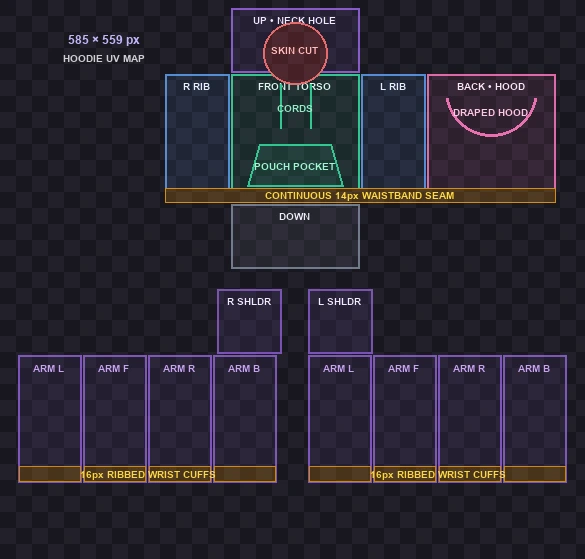
Color-coded 585x559 hoodie template Roblox UV blueprint marking neck cutout, pouch pocket, and cuffs

Hoodie Pocket and Seam Blueprint PNG

Keep this blueprint on your bottom layer while drawing by hand so your kangaroo pocket, drawstrings, back hood curve, and 14px waistband line up across every seam.

585 × 559 PNGExact Pixel ZonesSeam Safe
Streetwear Tailoring Techniques

Pro Techniques for Pullovers Zip Jackets and Dark Fleece Shading

Once you understand the basic layout, three small tailoring habits separate flat beginner shirts from realistic streetwear hoodies and outerwear that players actually buy in the Marketplace.

01 • Dark Fleece Contrast

Why Black Hoodies Need Charcoal Instead of Pitch Black

If you bucket-fill a black hoodie with pure #000000, every shadow fold, pocket outline, and Multiply wrinkle layer disappears completely because pixels cannot get any darker than zero. Always base-color dark hoodies in rich charcoal (#1E1D28 to #262533) and pair them with our 585 × 559 shading templates so cotton folds and stitch lines look crisp.

02 • Zip-Ups, Bombers & Puffers

Turning a Hoodie Grid Into a Jacket Template Roblox Style

A jacket template Roblox outfit uses the exact same 585 × 559 canvas with two tweaks. Replace the center kangaroo pouch with a vertical 8-pixel zipper or snap-button placket down x=295, angle two welt pockets near the ribs, and—for varsity bombers—fill the eight arm strips with contrasting cream or leather while adding striped ribbing along the bottom cuffs.

03 • Clean Side & Arm Seams

Preventing Broken Waistbands and R15 Elbow Distortion

Keep your kangaroo pocket at least 14 pixels inside the left and right edges of the Front box so it never wraps weirdly onto your avatar's ribs. For puffer baffles and waistbands, draw one straight horizontal bar across x=165 to x=555, and bleed your fabric color 3 pixels past every box edge so white seam lines never flash on R15 joints.

Quick Pre-Upload Checklist Before Spending 10 Robux on Creator Hub

Hide Blueprint Layers — Turn off any colored UV guide grid before exporting your final 585 × 559 PNG so neon alignment boxes never bake into your sleeves.
Keep Neck & Hand Cutouts Clear — Save strictly as .png (never .jpg) so your oval neck opening on the Up box lets real avatar skin show through.
Match Tracksuit Waistlines — Building a full fleece set? Paint a matching waistband tone along the top hip row of your Classic Pants template so jumping in R15 games never exposes a skin gap.
Upload Under Classic Shirts — On create.roblox.com, navigate to Creations → Avatar Items → Classics → Classic Shirts to publish your finished hoodie or jacket.
BloxLux Streetwear & Hoodie Texture Presets

Step-by-Step Guide to Designing a Custom Hoodie in the BloxLux 3D Editor

Guessing where a back hood or sleeve cuff lands in flat photo software takes endless trial and error. Inside our BloxLux 3D Shirt Editor, you paint and layer directly beside an interactive 3D character—and you can double-check any finished shirt and matching sweatpants template inside our 3D Clothing Previewer.

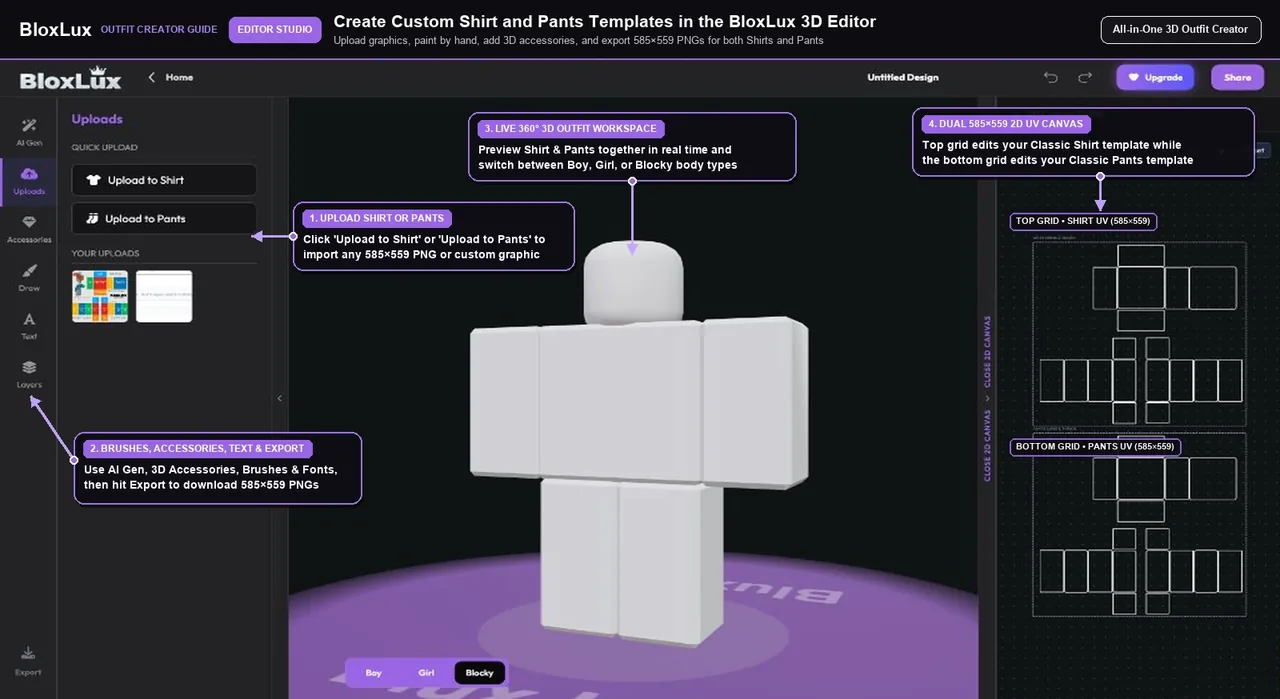
Loading a 585x559 classic Roblox hoodie template into the BloxLux 3D Shirt Editor
Step 1 • Base Setup

Import a 585x559 Hoodie Overlay or Official Shirt Grid

Open the BloxLux 3D Shirt Editor and click Uploads on the left sidebar. Upload any of our 585×559 transparent hoodie or zip-jacket PNGs, or pick a community streetwear hoodie to customize while watching the live 3D avatar.

  • Snaps cleanly onto the official 585×559 Classic Shirt UV map
  • Keeps the oval neck cutout clear so avatar skin shows naturally
  • Lets you toggle between Blocky, Boy, and Girl bodies right away
Creator Tip — Use dark charcoal (#1E1D28) instead of pure black (#000000) when making a black hoodie so your pocket seams and folds stay visible.
BloxLux Streetwear & Hoodie Texture Presets

Build Custom Streetwear Hoodies and Matching Tracksuits in 3D

Import any 585×559 hoodie or zip-jacket overlay into our browser 3D Editor, customize colors, add chest logos and chains, or test saved PNGs in our 3D Clothing Previewer before spending Robux.

Open 3D Hoodie EditorTest in 3D Previewer
Streetwear Presets Ready to Customize

Popular Roblox Hoodies Tracksuits and Jackets Ready to Remix

Want to jump straight in from a finished shaded hoodie, fleece tracksuit, sweater, or jacket? Click Remix in 3D on any community design below to edit colors and logos inside our studio.

8 Streetwear Presets
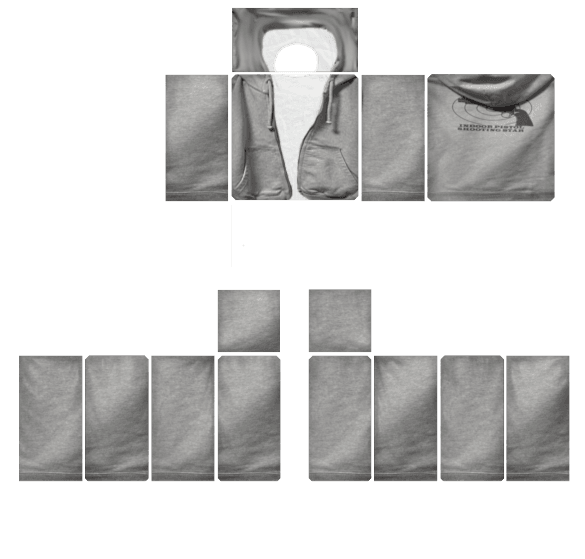
Heather Gray Fleece Hoodie Set - Transparent Roblox Shirt Template PNG
View Details
Heather Gray Fleece Hoodie Set
by MD Kamran Ullah 1462585×559
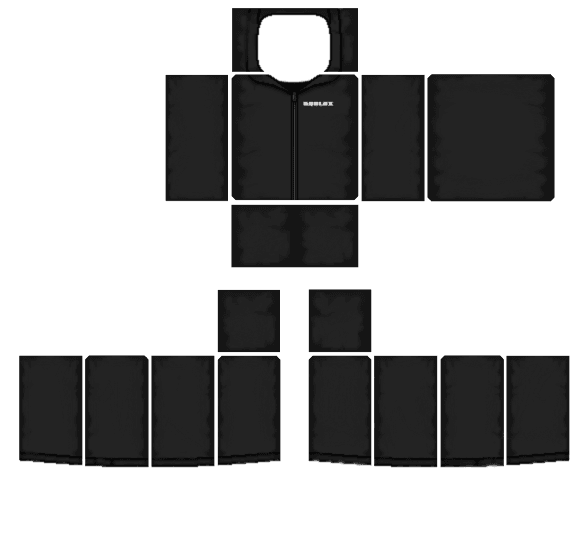
Classic Black Shaded Hoodie Set - Transparent Roblox Shirt Template PNG
View Details
Classic Black Shaded Hoodie Set
by MD Kamran Ullah 1462585×559
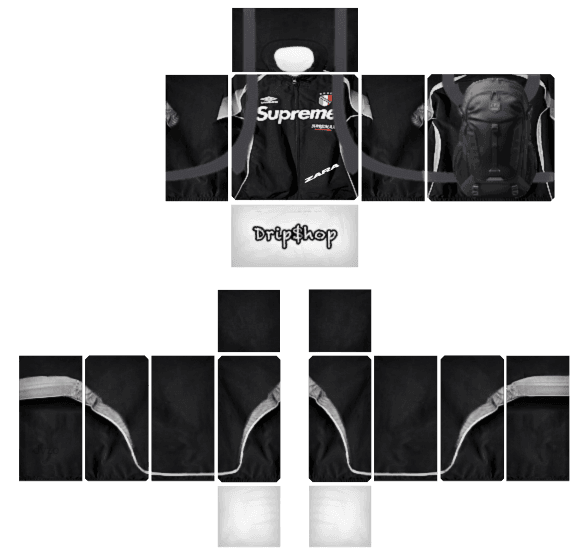
Supreme Streetwear Tracksuit - Transparent Roblox Shirt Template PNG
View Details
Supreme Streetwear Tracksuit
by imran younas585×559
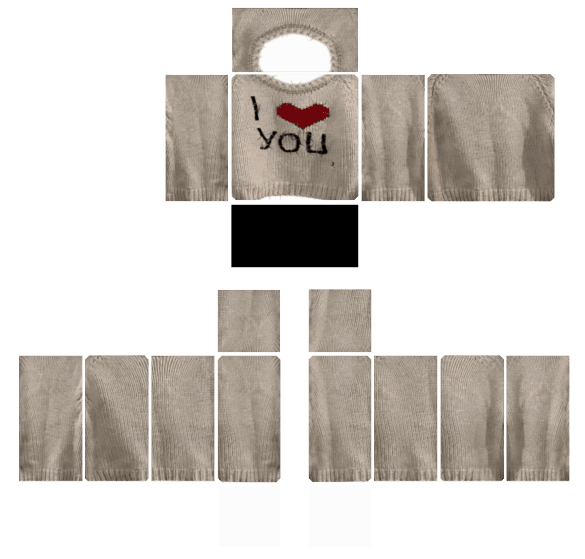
Cream Knit Pullover Sweater - Transparent Roblox Shirt Template PNG
View Details
Cream Knit Pullover Sweater
by MD Kamran Ullah 1462585×559
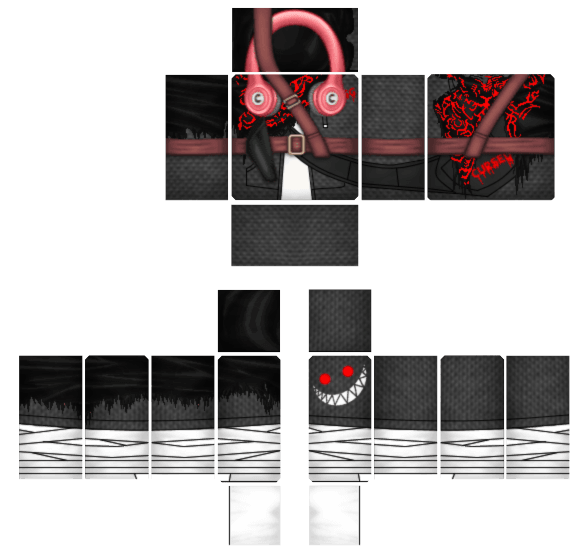
T.U.F.F. Streetwear Jacket - Transparent Roblox Shirt Template PNG
View Details
T.U.F.F. Streetwear Jacket
by fer el pron 82585×559
Shadow Stalker Hooded Coat - Transparent Roblox Shirt Template PNG
View Details
Shadow Stalker Hooded Coat
by Zoro585×559
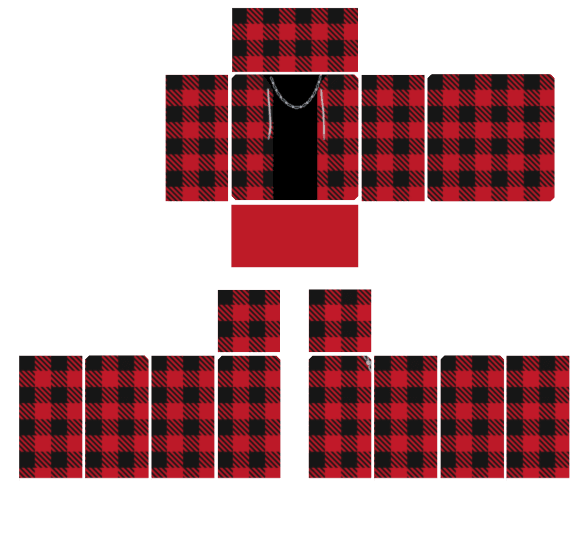
Red Plaid Layered Flannel - Transparent Roblox Shirt Template PNG
View Details
Red Plaid Layered Flannel
by MD Kamran Ullah 1462585×559
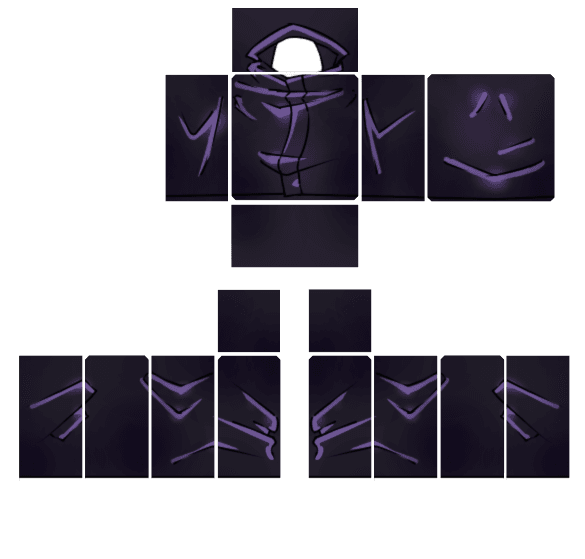
Dark Sorcerer Layered Jacket - Transparent Roblox Shirt Template PNG
View Details
Dark Sorcerer Layered Jacket
by coolkid585×559
Design Matching Hoodie & Pants OutfitExplore 8 Clothing Shading Templates
Frequently Asked Questions

Common Questions About Classic Roblox Hoodie and Jacket Templates