BloxLux logo
BloxLux icon

Create

Templates

Collections

Join Discord

BloxLux logo
BloxLux icon

Create

Templates

Collections

Join Discord

HomeTemplatesComplete Roblox Clothing Template Guide for Shirts and Pants
Shirts & Pants Pillar Guide • 585 × 559 Transparent PNG

Complete Roblox Clothing Template Guide for Shirts and Pants

585 × 559 px Official Standard•Covers Classic Shirts & Pants•R15 & R6 Avatar Compatible•8-Bit Alpha Transparency

If you have ever wanted to make your own hoodies, varsity jackets, ripped jeans, or matching suits for your avatar, everything begins with a single flat file called a Roblox clothing template. Instead of wrapping 3D meshes by hand, classic Roblox outfits work like paper fold-outs—you place your colors, pockets, logos, and shoe details inside a specific 2D grid, and Roblox folds those boxes cleanly around your character in 3D.

Most people searching for a Roblox clothes template quickly run into two headaches. First, if your image is even one pixel off—or if you accidentally save a solid white background instead of a Roblox template transparent PNG—Roblox either rejects the file or paints awkward white blocks over your character's arms and legs. Second, trying to build a clothing template Roblox outfit with traditional desktop photo software forces you to guess where sleeve cuffs, side seams, and pant legs connect without seeing the 3D body.

In this guide, we walk through the exact 585 × 559 pixel shirt and pants Roblox templates defined by Roblox, give you clean one-click downloads, and show you how to design custom outfits—or remix ready-made templates—right inside our BloxLux All-in-One Avatar Outfit & Texture Creator and live 3D Clothing Previewer.
Download Shirt & Pants Templates (585×559)Open All-in-One 3D EditorTest Templates in 3D Previewer
Official 585 × 559 Pixel Specification

Official Roblox Shirt and Pants Templates and Exact Canvas Size

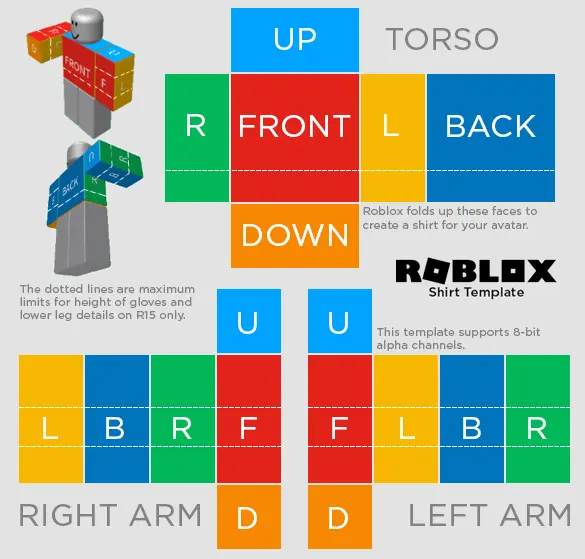
Roblox enforces one strict image size for all classic 2D clothing assets—every Roblox template for shirts or pants must measure 585 pixels wide by 559 pixels tall in PNG format. Because Roblox locks the exact position and pixel size of every body rectangle on this sheet, knowing what each colored block controls lets you tailor anything you want—short-sleeve tees, oversized hoodies, cropped jackets, ripped denim, cargo pants, or custom sneakers—without stretching or blurry seams.

Classic Shirt Layout585 × 559 px PNG
Official Roblox Shirt Template R15 585x559 layout showing Torso, Right Arm, and Left Arm coordinatesTorso + Both Arms

Roblox Classic Shirt Template (Torso and Arms)

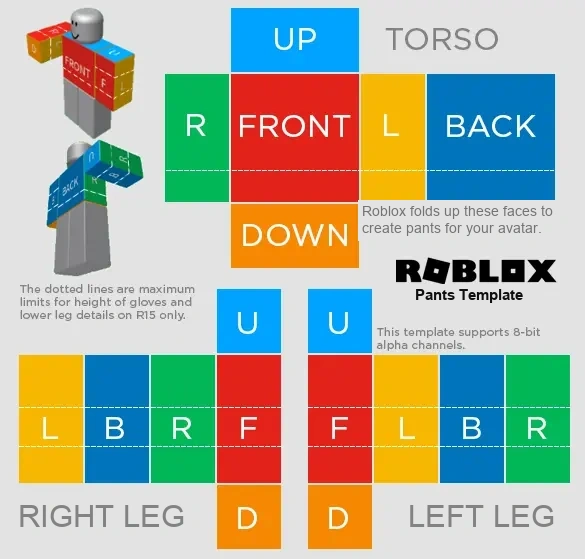
The shirt layout uses the top cluster of boxes to wrap around the Torso—FRONT (red) for chest logos, BACK (dark blue) for rear prints or hoods, R and L (green and yellow) for the side ribs, UP (light blue) for the shoulders and neckline, and DOWN (orange) for the waist hem. Below that, the two four-strip columns fold around the Right Arm and Left Arm. Leaving the lower half of those arm strips transparent creates short sleeves, while painting down to the dotted wrist lines creates long sleeves or gloves.

Shirt Guide
Classic Pants Layout585 × 559 px PNG
Official Roblox Pants Template R15 585x559 layout showing Torso Waist, Right Leg, and Left Leg coordinatesWaist + Both Legs

Roblox Classic Pants Template (Waist, Legs and Shoes)

Notice how the pants file keeps the exact same 585 × 559 box positions as the shirt file, except the bottom two columns fold around the Right Leg and Left Leg instead of the arms. Roblox also leaves the top Torso section active on pants so you can draw belts, high-waisted jeans, overalls, or jumpsuits—just leave the upper torso transparent if you are making regular low-rise jeans or joggers. Paint sneakers along the bottom 25–30 pixels of the leg strips and color the orange D squares for shoe soles.

Pants Guide

Exact Roblox Template Pixel Measurements and Blank Transparent PNG

Need a clean Roblox transparent template without the bright R15 guide colors? Grab the blank 585 × 559 wireframe below.

Full Canvas Size585 × 559 px
Required FormatPNG-24 (Alpha)
Torso Front & Back128 × 128 px
Torso Left & Right64 × 128 px
Arm & Leg Strips64 × 128 px
Top & Bottom Caps64 × 64 px

Interactive 3D Shirt and Pants UV Fold Preview

Toggle between the Shirt guide, Pants guide, or both together and spin the 3D avatar 360° to see where every colored face lands.

Preparing 3D Avatar...
Viewing both R15 color guides wrapped together on the 3D avatar
Simpler Way to Create Shirts and Pants

Why Official Roblox Tools Feel Complicated and How Our 3D Editor Fixes It

If you try making a new outfit the traditional Roblox way, you find out pretty fast that Roblox does not give you an online clothing maker. Officially, Roblox only hands you those flat color-coded PNG sheets and expects you to install heavy desktop software like Photoshop or GIMP, set up multi-layer masks on your own, paint across disconnected 2D rectangles without seeing the character, and launch Roblox Studio on a PC just to paste file paths onto a dummy rig. Even worse, if a pocket or sleeve stripe sits two pixels too high, you often do not notice until after you spend 10 Robux uploading it.

That exact frustration is why we built our own web studio—the BloxLux 3D Clothing Editor. Right inside your browser, you can create brand-new shirt and pants templates from scratch on pre-aligned 585 × 559 grids, or pick any already-created community outfit and customize its colors, logos, shading, and accessories in real time.

Traditional Official Workflow

Manual 2D Photo Software and Roblox Studio Setup

  • ✕Requires external image editors and manual layer setup for 585 × 559 dimensions
  • ✕Hard to tell how flat 2D sleeve and pant strips meet across side and shoulder seams
  • ✕Testing both a shirt and pants together requires opening Roblox Studio on desktop
  • ✕Every fabric wrinkle, tie, belt, or collar shadow must be drawn from zero
BloxLux All-in-One Avatar Outfit & Texture Creator

Create From Scratch or Customize Ready-Made Templates in 3D

  • Dual 585 × 559 Shirt and Pants canvases locked to Roblox's exact pixel rules
  • Live 360° 3D character updates instantly as you draw, upload graphics, or add text
  • Start blank OR click Remix in 3D on existing community shirts and pants templates
  • Built-in 3D accessories, AI texture generator, brushes, and one-click PNG export

How to Create Shirt and Pants Templates Using the BloxLux Editor

Click through the 5 studio tabs below to see where every Shirt and Pants tool lives inside bloxlux.com/editor.

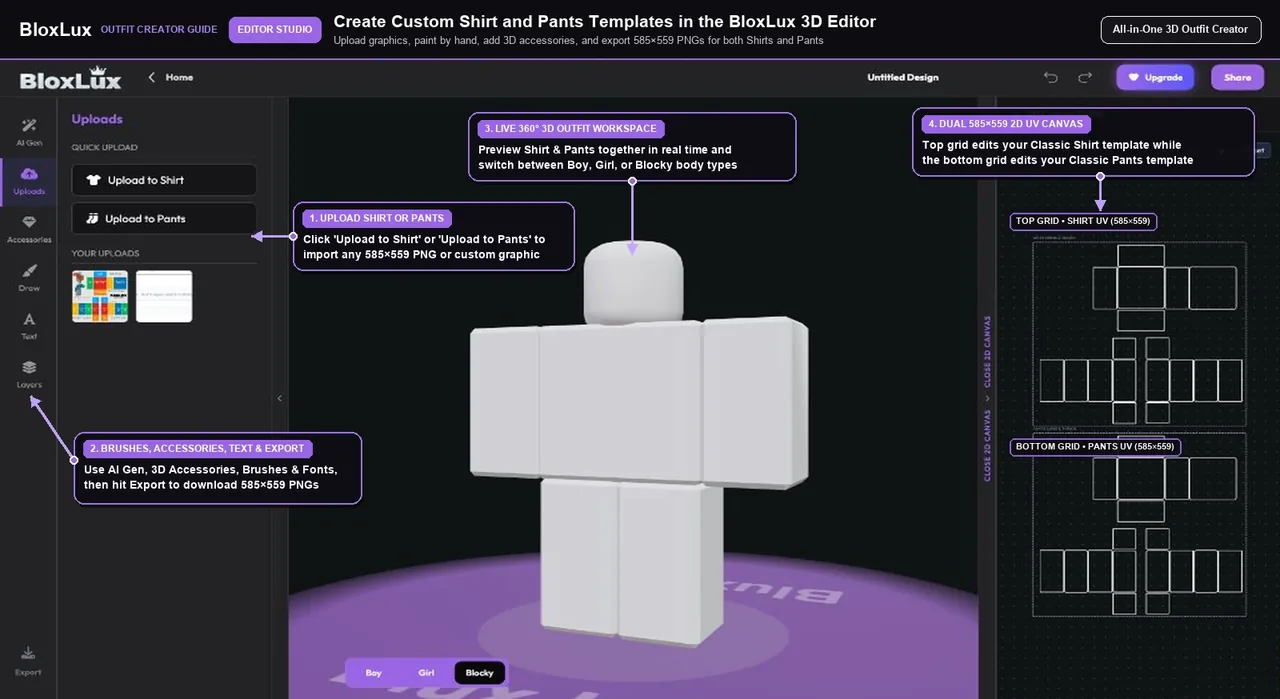
BloxLux 3D Clothing Editor full-body workspace showing Upload to Shirt and Pants controls, live 3D avatar preview, and dual 585x559 UV grids
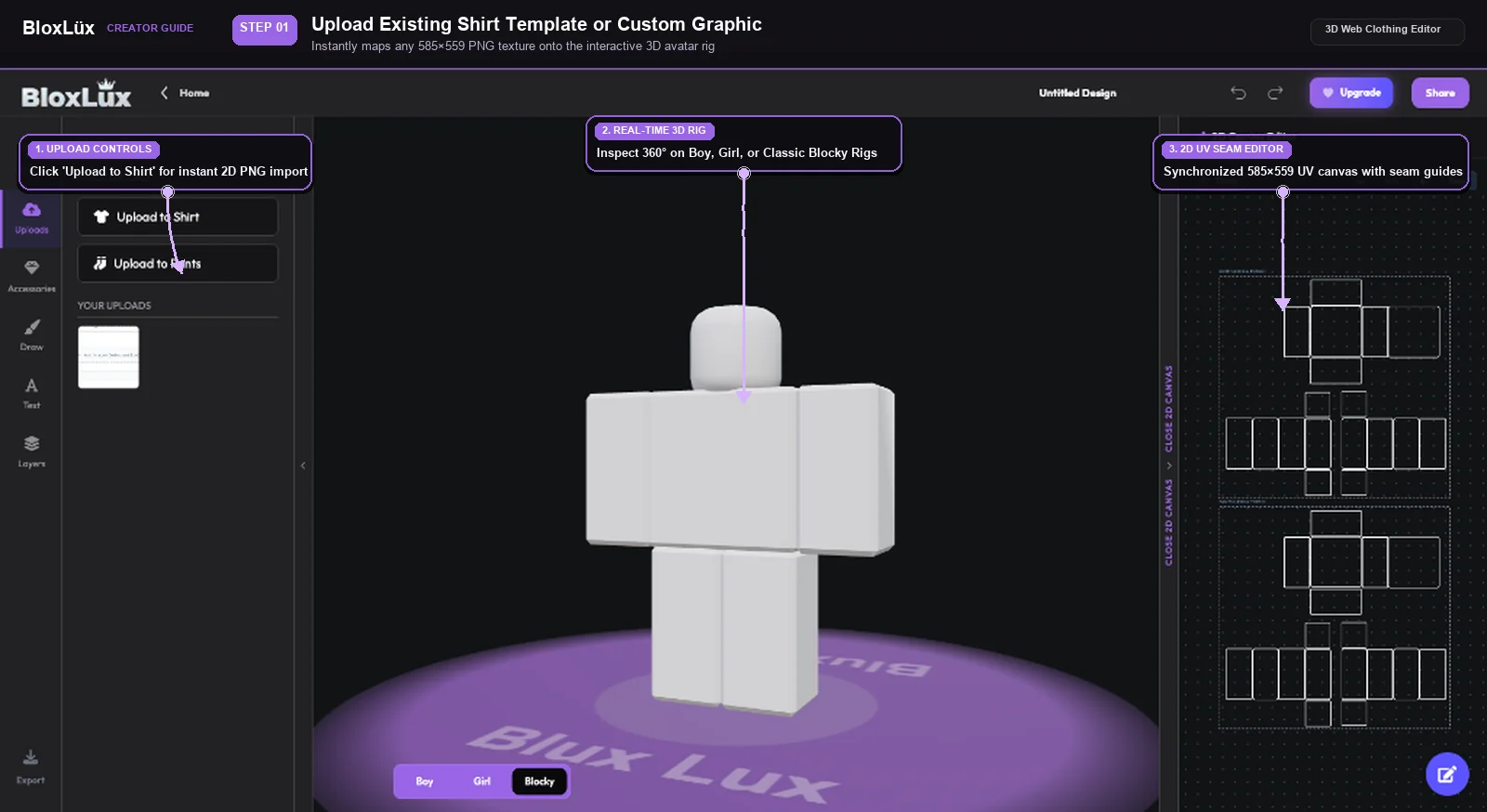
Uploading a 585x559 transparent Roblox shirt or pants template into the BloxLux 3D Editor
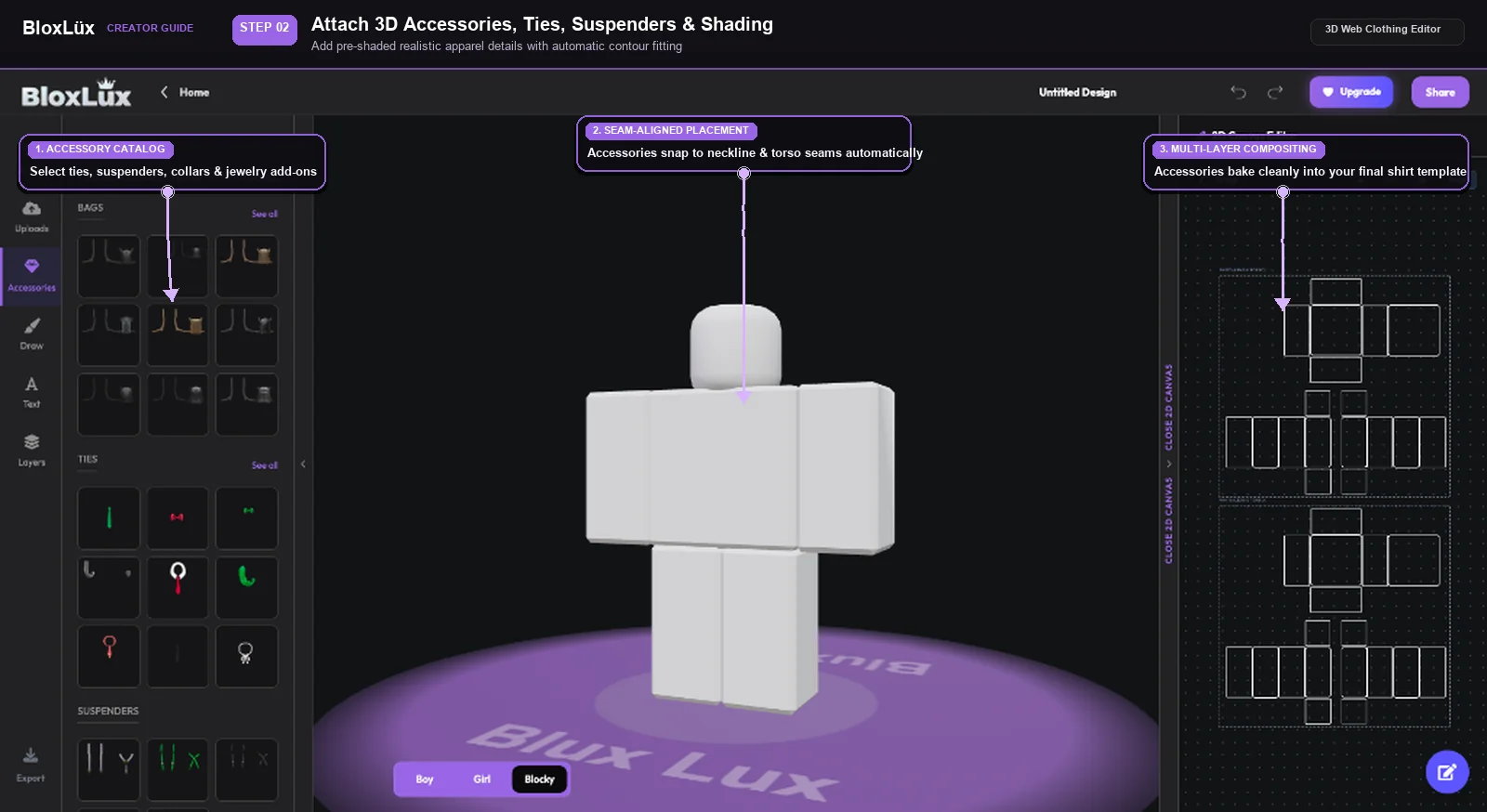
Adding pre-shaded ties chains suspenders and fabric folds onto a Roblox clothing template in BloxLux
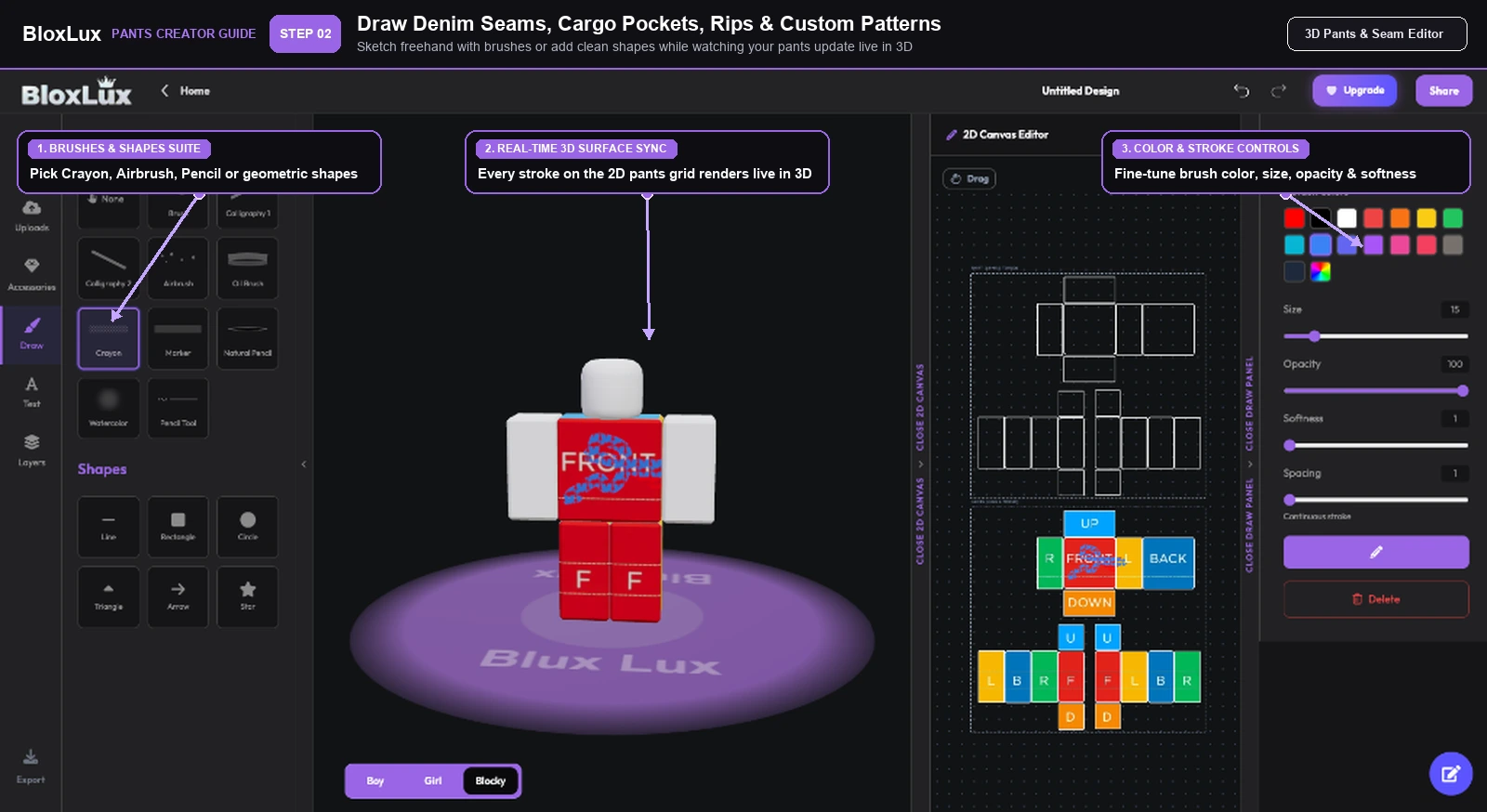
Drawing custom shirt seams cargo pockets and sneakers on a 585x559 Roblox clothing template
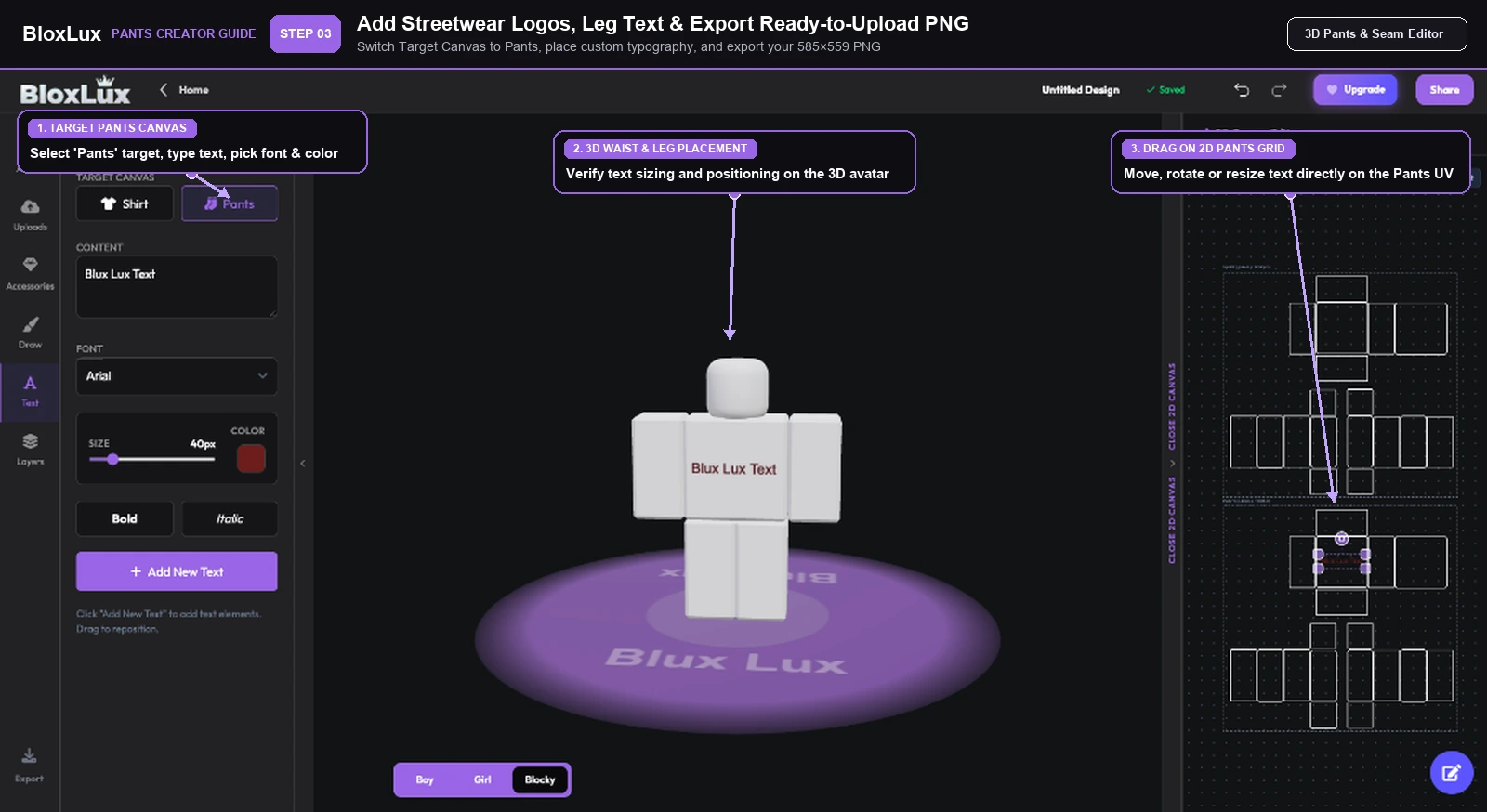
Adding custom typography to Shirt and Pants canvases and exporting 585x559 PNG templates in BloxLux
Step 01 of 05•All-in-One Workspace

Design Shirts and Pants Together on One Dual 2D and 3D Screen

Work on the top Shirt grid and bottom Pants grid while watching your 3D character update live

Open Full-Body 3D Editor

Instead of bouncing between separate image files and guessing whether your jacket hem lines up with your jeans, our Full Outfit workspace puts both 585×559 grids right next to a live 3D Roblox character. The top wireframe controls your Classic Shirt (chest, back, shoulders, and sleeves), and the bottom wireframe controls your Classic Pants (waist, legs, and shoes).

Top 585×559 UV grid maps directly to your Classic Shirt template
Bottom 585×559 UV grid maps directly to your Classic Pants template
Switch between Blocky, Boy, and Girl bodies anytime with one click

Creator Tip — Design your shirt and pants side by side when making suits, tracksuits, or uniforms so jacket stripes and pant seams meet at the exact same pixel column.

01

Start Blank or Pick a Preset

Open the 3D Editor to start on a clean 585 × 559 canvas, or click Remix in 3D on any community outfit below to edit an existing shirt or pants design.

02

Build Your Shirt on the Top Grid

Use Upload to Shirt, brushes, or AI textures inside the upper 2D grid to color your torso and sleeves. Leave lower arm strips blank for short-sleeve tees.

03

Design Pants on the Bottom Grid

Click Upload to Pants or paint inside the lower 2D grid to craft jeans, cargo pockets, ripped knees, waist belts, and sneakers that match your top.

04

Add Shading and Export PNGs

Snap on 3D collars, chains, or fabric shading overlays, inspect the seams in 360°, and click Export to save your 585 × 559 PNGs.

Instant 3D Outfit Seam Checker

Preview Your Shirt and Pants Templates in 3D Before Uploading

Already painted a shirt or pants file on your iPad in Procreate or IbisPaint X, edited a PNG in Photopea, or downloaded a template you want to double-check? Before paying Roblox's non-refundable 10 Robux upload fee per item, open our standalone 3D Clothing Previewer (bloxlux.com/clothing-previewer) to see how your shirt and pants templates look wrapped on a real 3D Roblox avatar.

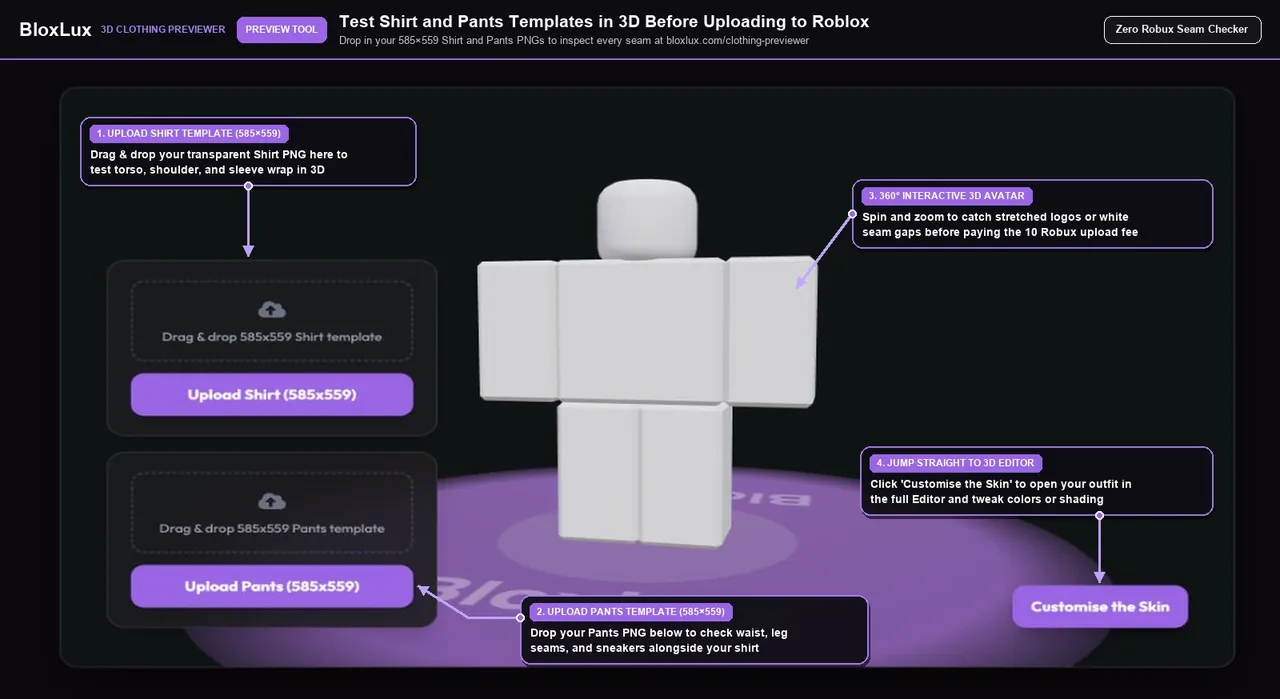
BloxLux 3D Clothing Previewer showing 585x559 Shirt and Pants upload dropzones, live 360 degree 3D avatar preview, and Customise the Skin button
Test Shirts Solo, Pants Solo, or Both Together

Drop In Your 585×559 PNGs and Catch Seam Mistakes in Seconds

Drag your shirt file into Upload Shirt (585x559) and your pants file into Upload Pants (585x559). Spin the character around to check armpits, shoulders, cuffs, waistbands, and shoe soles—and if anything needs fixing, click Customise the Skin to open that exact outfit directly inside the 3D Editor.

Open 3D Clothing Previewer
Essential Creator Rules

Classic Shirts vs Pants vs T-Shirts and How Transparent Cutouts Work

Before uploading your outfit to Roblox Creator Hub, it helps to understand how Roblox stacks clothing layers on an avatar and how a Roblox template transparent alpha channel lets your character's skin tone show through naturally.

Roblox Classic Clothing Asset Types Compared

Roblox Creator Hub Specifications
Clothing TypeRequired Size3D Body CoverageLayer PriorityRoblox Upload Fee
Classic Shirt585 × 559 px PNGTorso, Shoulders, Left & Right ArmsRenders on top of Classic Pants10 Robux
Classic Pants585 × 559 px PNGTorso / Waist, Left & Right Legs, FeetRenders underneath Classic Shirt10 Robux
Classic T-Shirt512 × 512 px PNGFlat front chest sticker only (no sleeves/back)Pins over front of Classic Shirt0 Robux (Personal) / 10 Robux (Sale)
01 • Transparent Skin Cutouts

How Short Sleeves, Collars and Ripped Jeans Work

Whenever you leave pixels completely see-through on a Roblox transparent template, the player's own avatar skin color shows underneath. That is how creators make V-neck collars, rolled-up sleeves, crop tops, shorts, and distressed knee rips without painting fake skin tones that only match one avatar color.

02 • Eliminating White Seam Lines

Bleed Your Fabric Colors 2 to 3 Pixels Past Box Edges

When Roblox compresses and wraps your 585 × 559 texture onto a 3D mesh, stopping your paint right on the wireframe border can let tiny slivers of empty space peek through along the shoulders and inner legs. Extending your base color 2 to 3 pixels outside each rectangle keeps every joint razor-clean.

03 • Shading Dark & Black Outfits

Use Charcoal Gray Instead of Pure Black for Visible Folds

Filling a hoodie or suit with pure #000000 black hides every wrinkle shadow you place over it. Use deep charcoal (#1C1C24 to #24242E) as your base color and layer one of our 585 × 559 Roblox shading templates on top so every fold pops in-game.

04 • Uploading to Roblox Creator Hub

Publishing Your Exported 585×559 PNG to Roblox

After exporting from BloxLux, sign in at create.roblox.com, open Creations → Avatar Items → Classics, pick Classic Shirts or Classic Pants, and upload your PNG for 10 Robux. Once approved, you can wear it right away or put it on sale in the Marketplace to earn Robux.

Already-Created Templates Ready to Customize

Popular Shirt and Pants Templates Ready to Remix in 3D

Do not want to start from a blank grid? Click Remix in 3D on any shirt or full outfit below to open and customize it inside our editor.

8 Shirts & Outfits
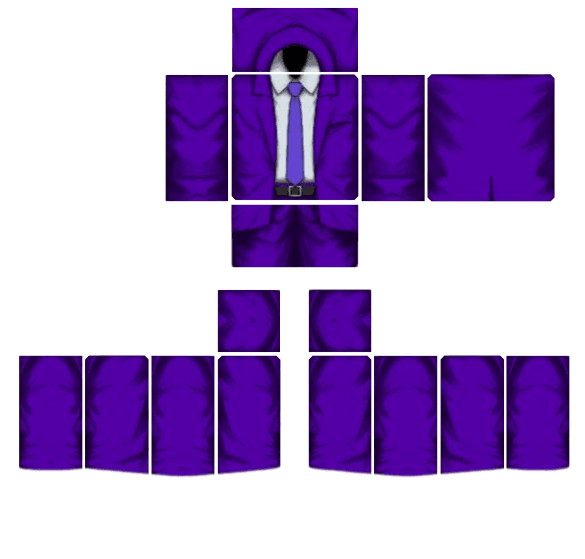
Royal Violet Executive Suit - Transparent Roblox Shirt Template PNG
View Details
Royal Violet Executive Suit
by Beetech Agency585×559
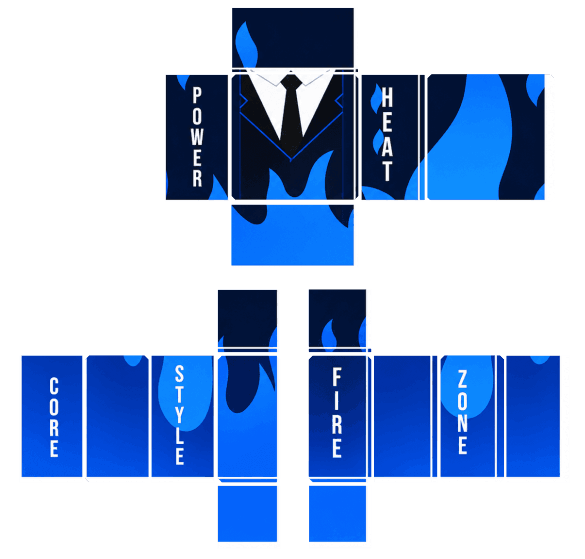
Blue Flame Suit Outfit - Transparent Roblox Pants Template PNG
View Details
Blue Flame Suit Outfit
by Asadrith585×559
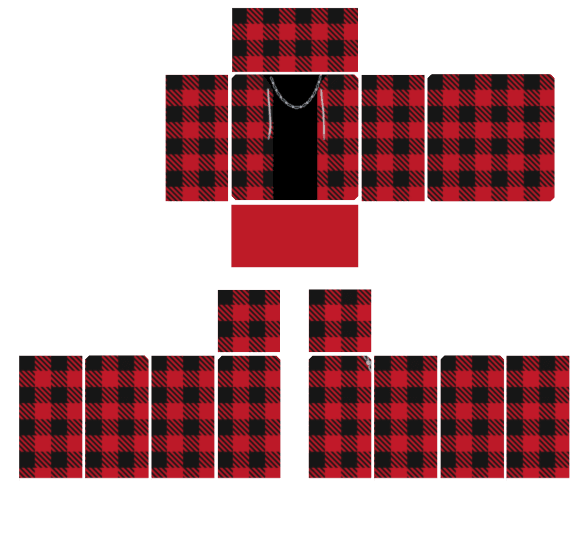
Red Plaid Flannel Shirt - Transparent Roblox Shirt Template PNG
View Details
Red Plaid Flannel Shirt
by MD Kamran Ullah 1462585×559
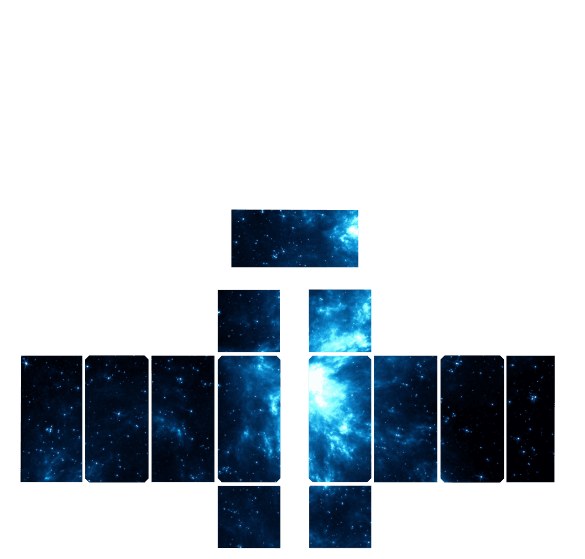
Gir Shirt and Galaxy Pants - Transparent Roblox Pants Template PNG
View Details
Gir Shirt and Galaxy Pants
by victoria585×559
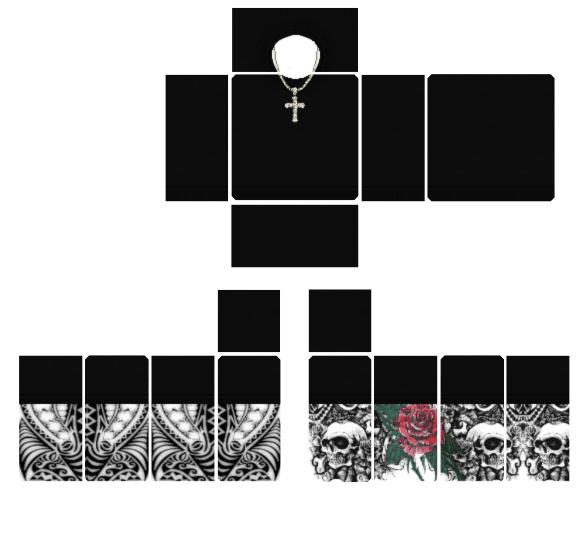
Skull Tattoo Streetwear Top - Transparent Roblox Shirt Template PNG
View Details
Skull Tattoo Streetwear Top
by AWFNIUTYfoltfan585×559
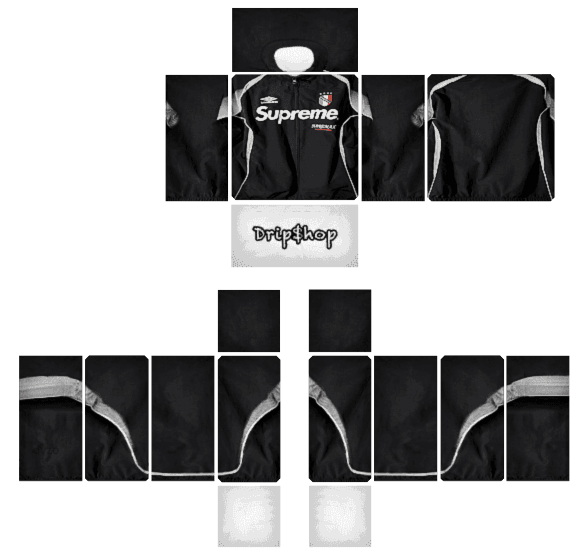
Supreme Tracksuit Set - Transparent Roblox Pants Template PNG
View Details
Supreme Tracksuit Set
by imran younas585×559
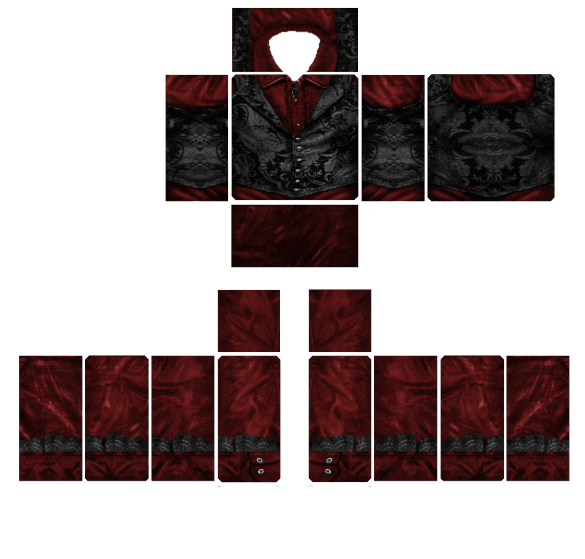
Crimson Gothic Aristocrat - Transparent Roblox Shirt Template PNG
View Details
Crimson Gothic Aristocrat
by MD Kamran Ullah 1462585×559
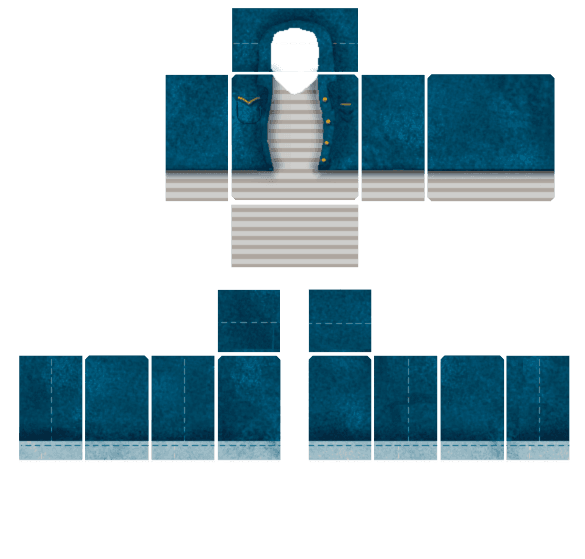
Classic Denim Jeans Outfit - Transparent Roblox Pants Template PNG
View Details
Classic Denim Jeans Outfit
by MD Kamran Ullah 1462585×559
Launch BloxLux All-in-One Outfit CreatorBrowse Full Skins Library
Frequently Asked Questions

Roblox Clothing Template Questions and Answers