creatify logo
creatify logo

Create

Templates

Collections

Join Discord

creatify logo
creatify logo

Create

Templates

Collections

Join Discord

HomeTemplatesRoblox Shirt Template and Creator Guide
Creator Guide & Template Downloads

Roblox Shirt Template and Creator Guide

585 × 559 px Verified•Updated Monthly•Author: BloxLux 3D Team•Transparent PNG Canvas

Making your own custom clothing is one of the coolest parts of the game. Whether you want a fresh streetwear outfit for your avatar, want to dress your friends, or want to launch your own clothing brand to earn Robux, everything starts with the Roblox shirt template.

When designing a shirt template in Roblox, classic shirts wrap all the way around your avatar’s body, shoulders, and arms in 3D (unlike simple flat graphic T-shirts). Because of how Roblox maps textures, your canvas must use the exact 585 × 559 pixel resolution with an 8-bit alpha transparency channel so sleeve seams match up cleanly. Below, you can download the clean transparent shirt template Roblox creators use, see how each UV island fits on an interactive 3D model, and design your custom clothes with our BloxLux 3D Web Clothing Editor & Transparent Canvas Loader.

Anatomy & Dimensions

How a Roblox Shirt Template Works in 3D

Think of a Roblox template shirt like a paper cutout that folds around your character. It is a single flat 2D sheet that Roblox wraps around your avatar's 3D body. The layout is strictly divided into three primary zones: the Torso (front, back, and sides) in the center, the Right Arm on the right, and the Left Arm on the left.
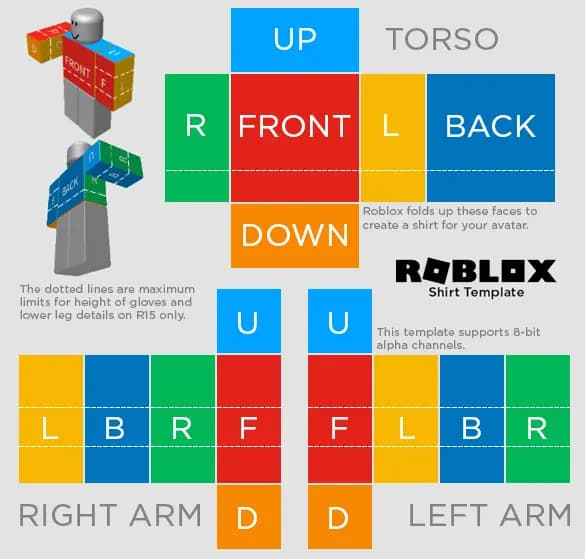
Transparent Roblox shirt template 585x559 PNG layout showing front, back, and sleeve coordinatesR15 / Classic UV Layout585 × 559 px

Each side is color-coded so you know where you’re drawing: Red is Front, Blue is Back, Green is Right, Yellow is Left, Light Blue is Top (shoulders), and Orange is Bottom (waist and wrists).

Canvas Specifications

Every element must match the exact pixel grid to prevent blurry avatar stretching.

Total Canvas585 × 559 Pixels
Color ModeRGB / PNG-24 (Alpha)
Front & Back Torso128 × 128 Pixels each
Torso Sides (L/R)64 × 128 Pixels each
Arms Front & Back64 × 128 Pixels each
Shoulders & Wrists64 × 64 Pixels (Up/Down)

Interactive 3D Avatar Preview (Live UV Template Wrap)

See how the template folds around the character. Click and drag to spin the avatar 360°.

Loading 3D Avatar Preview...
Drag to rotate 360° • Scroll to zoom
Step-by-Step Creator Flow

How to Create Custom Roblox Shirts Templates in BloxLux Editor

Designing a custom shirt template Roblox players love to wear has never been simpler. With the BloxLux 3D Clothing Editor and transparent canvas loader, you can draw, add 3D accessories, or import graphics directly onto the 585×559 layout and watch your shirt update on an interactive 3D character in real time—no guessing where seams will meet.
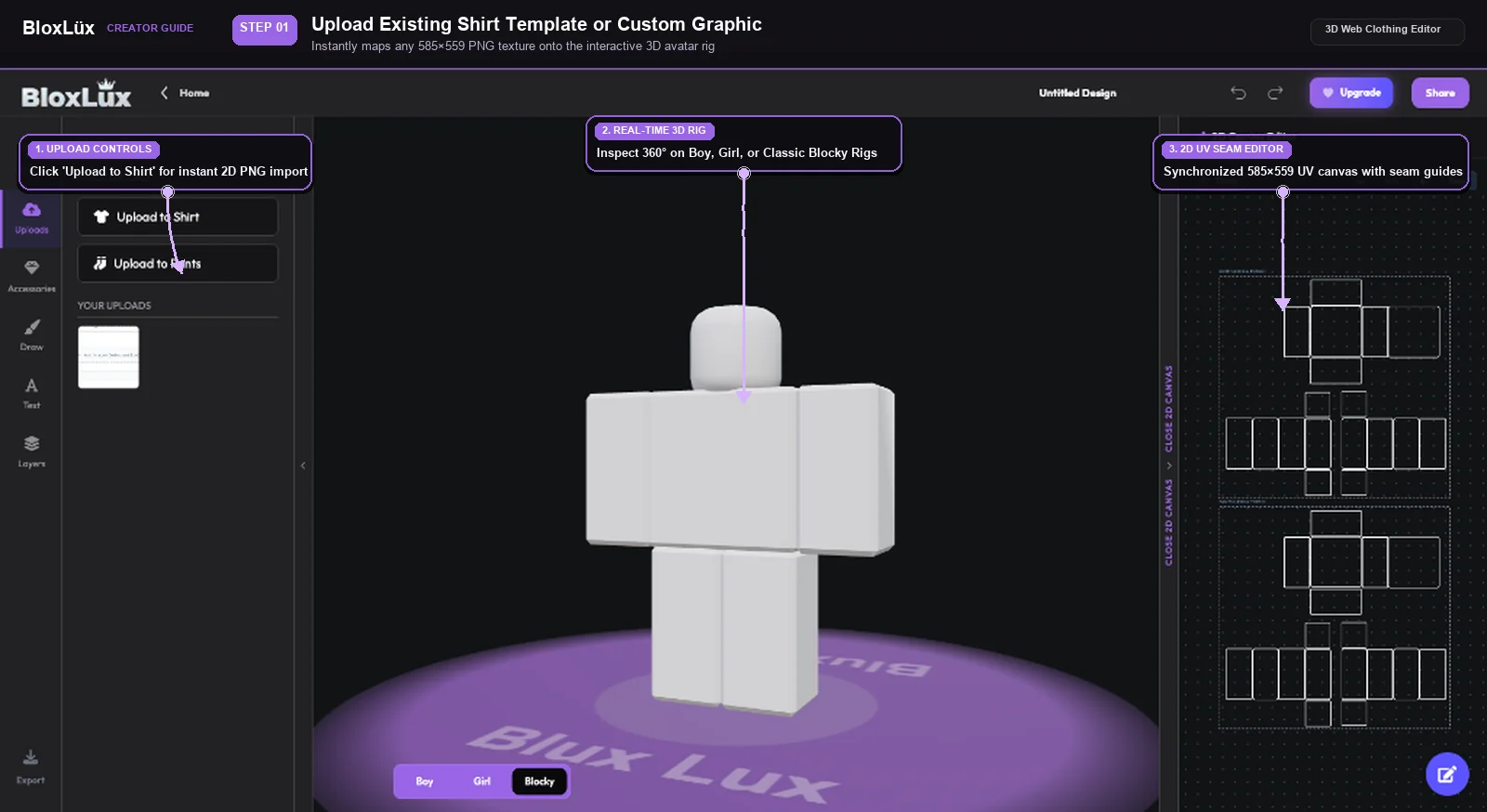
Uploading 585x559 transparent Roblox shirt template into BloxLux 3D web clothing editor
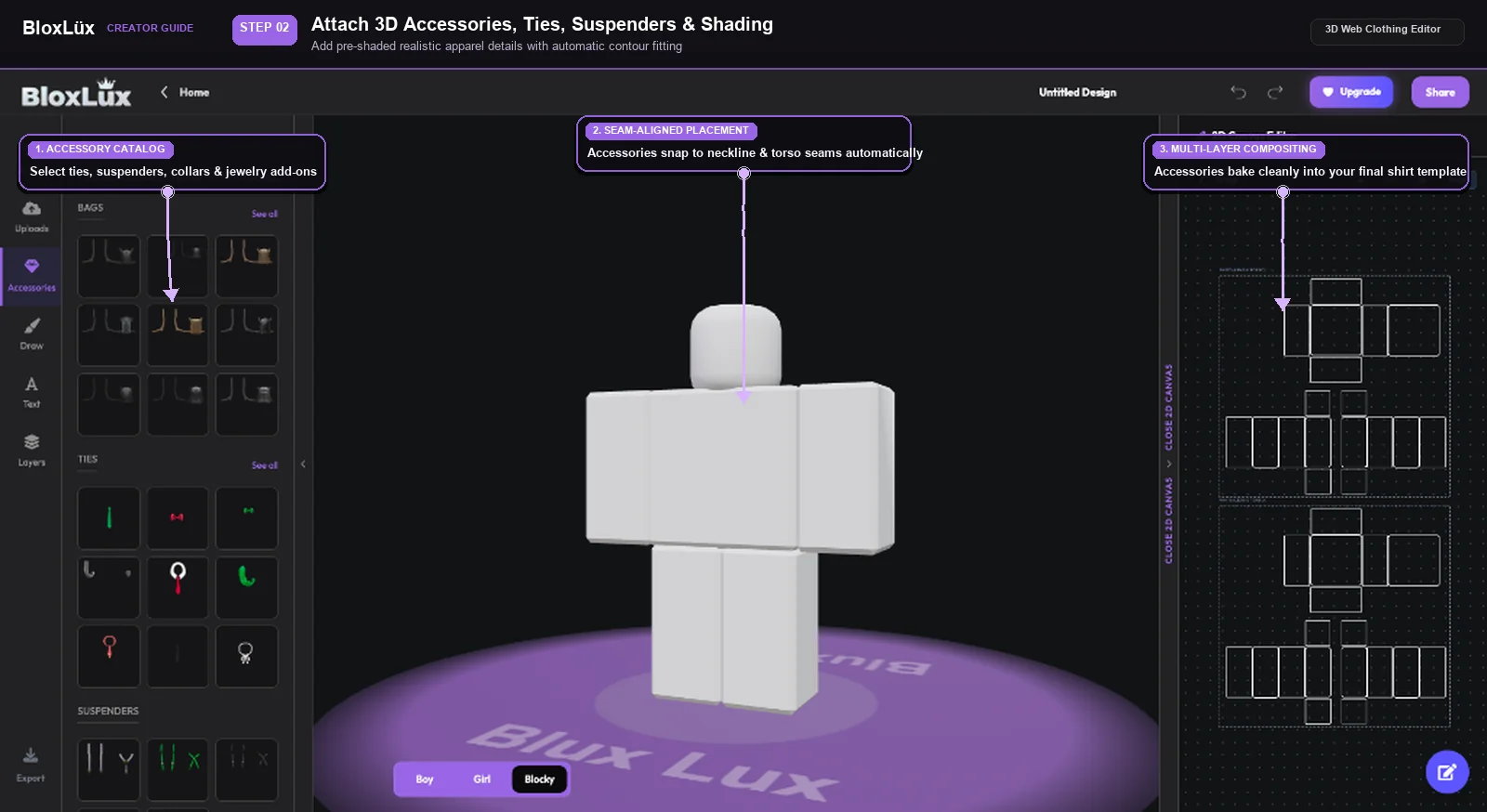
Adding pre-shaded 3D accessories ties and suspenders to Roblox shirt template
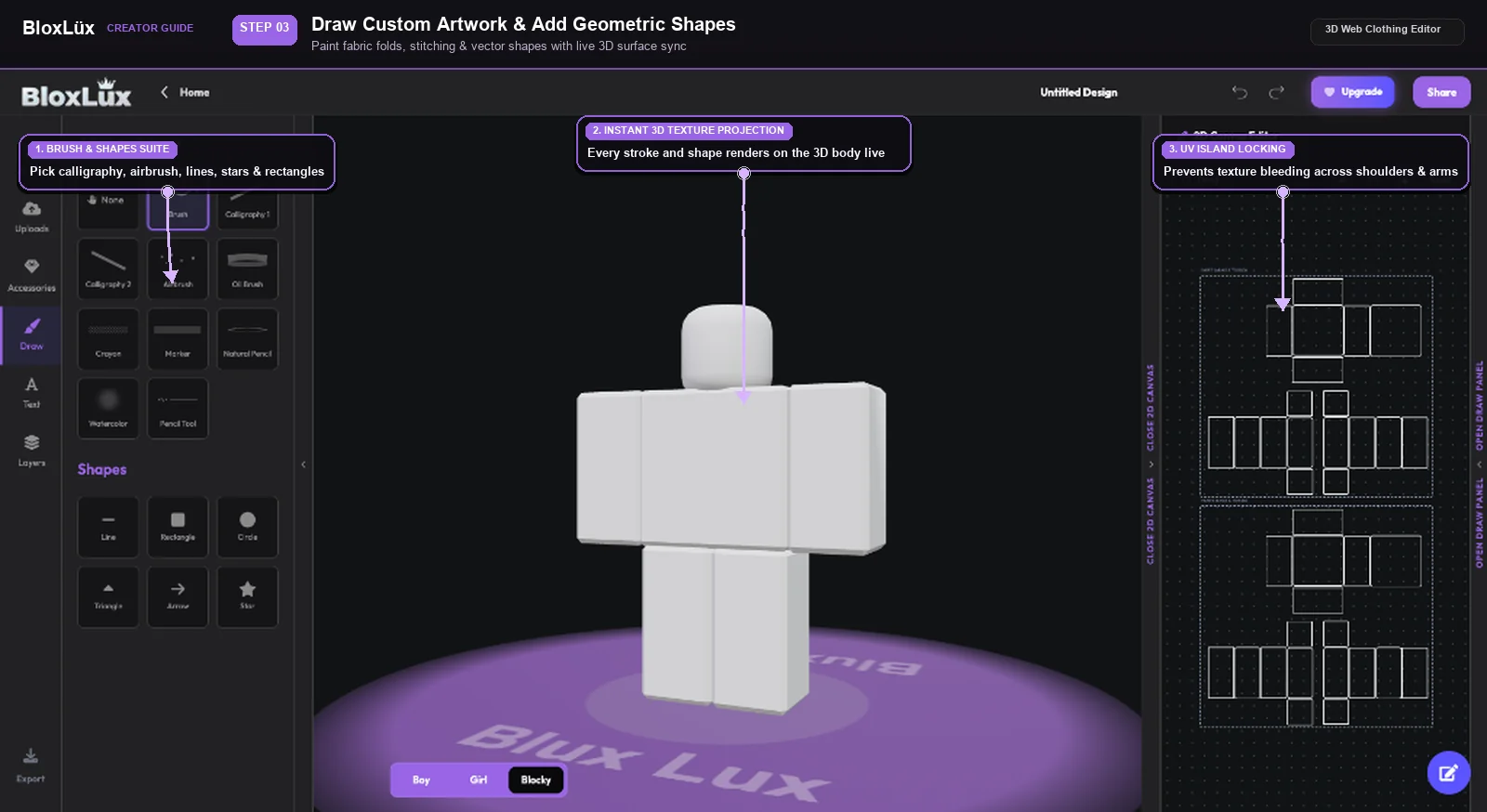
Drawing custom patterns stitches and geometric shapes on Roblox shirt template canvas
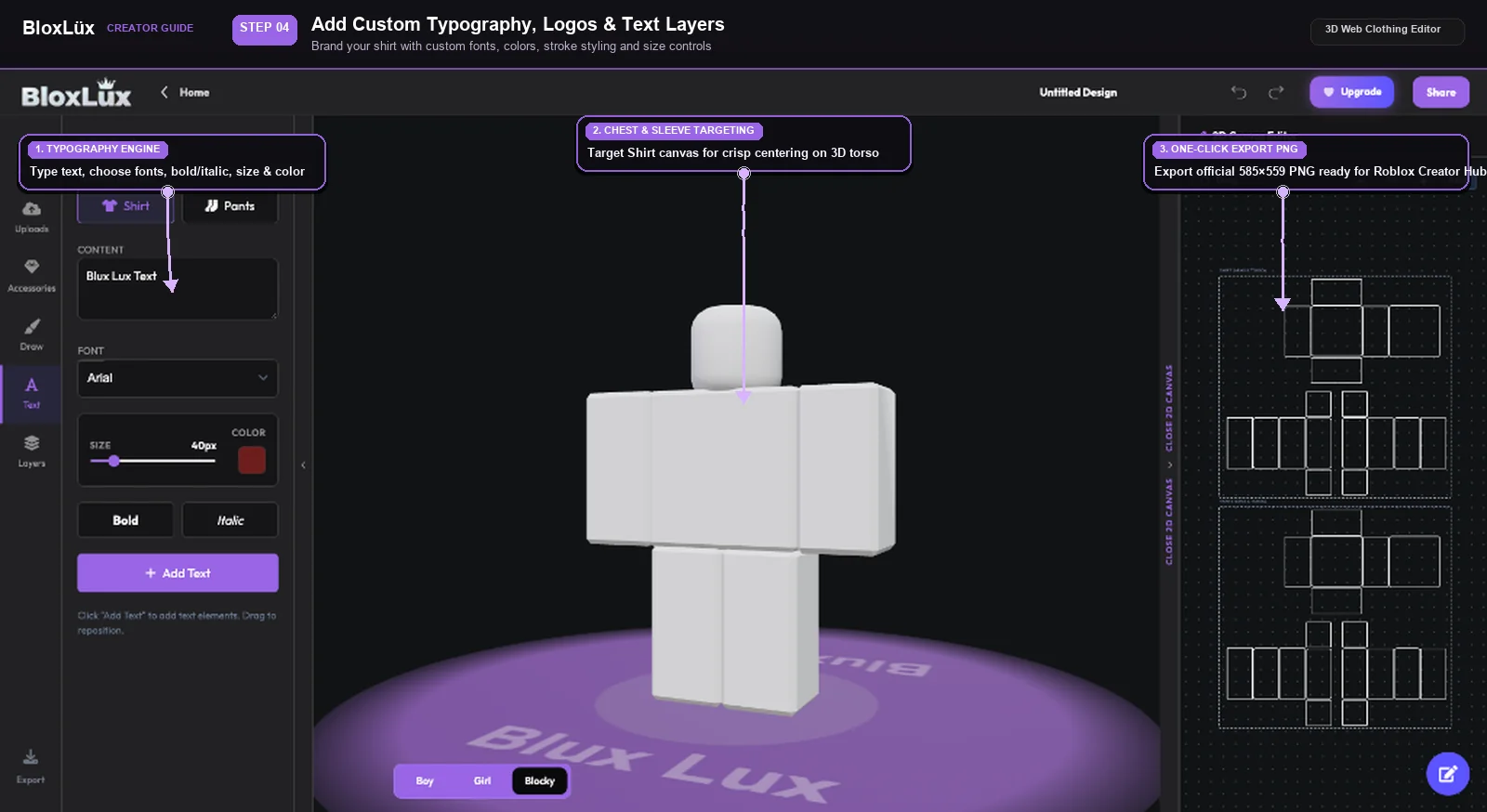
Custom text and typography placement on transparent Roblox shirt template
Step 01 of 04•Upload Tool

Upload a Shirt Template or Your Own Graphics

Drop in any 585×559 PNG or artwork and watch it wrap on the 3D model

Open 3D Web Editor

Click Uploads on the left menu and hit "Upload to Shirt". Your graphic wraps onto the 3D character right away, so you can check how it looks from every angle. You can also switch between Boy, Girl, and Blocky body types to make sure it fits everyone.

Locks automatically to the 585×559 template layout
Keeps transparent cutouts for short sleeves and open collars
Spin in 360° to check the fit on different avatar shapes

Pro Creator Tip: Keep your designs inside the dashed guide boxes so nothing gets stretched or cut off at the seams.

01

Open the 3D Web Editor

Launch the BloxLux Editor right in your browser. You don’t need to download or install anything—it works on any PC, Mac, or tablet.

02

Pick Shirt Mode

Choose Shirt Mode. The canvas automatically locks to the standard 585×559 size with clear guidelines showing where each body part goes.

03

Paint, Draw, or Add Images

Pick your shirt colors, upload logos or stickers, and sketch your design. You can see your changes on the 3D avatar as you make them.

04

Add Fabric Folds & Shading

Turn on shading layers to add realistic fabric folds, wrinkles, and collar shadows so your shirt looks 3D rather than flat.

05

Check All Angles in 3D

Spin the avatar around 360 degrees to make sure your sleeve stripes, side seams, and back graphics line up without breaking.

06

Download & Upload to Roblox

Click Export to save your transparent 585×559 PNG. Head over to the Roblox Creator Hub under Classic Shirts, pay the 10 Robux fee, and you’re live!

Ready to Make Your First Custom Shirt?

Jump into the editor now. Pick from ready-to-use textures, custom stickers, and realistic shading templates with instant 3D preview.

Launch 3D Editor
Zero Robux Inspection

How to Preview Roblox Shirts Before Uploading

Uploading a shirt to Roblox costs 10 Robux, and once you upload, there are no refunds if your seams look crooked or your logo gets stretched across an arm joint. Testing your roblox transparent shirt template on an interactive 3D avatar before paying helps you catch mistakes early and make sure your outfit looks great from every angle.

1. Load Any 585×559 PNG

Drop in your saved shirt or pants PNG directly from your computer or phone. It wraps onto the 3D character in seconds.

2. Check 360° Seam Alignment

Spin the model around to inspect the shoulders, armpits, and waistline so your textures match up seamlessly.

3. Test on Different Characters

Switch between Blocky, Boy, and Girl avatar bodies to make sure your clothes look good on any player.

Instant 3D Checker

Ready to test your shirt design in 3D?

Use our BloxLux 3D Clothing Previewer to check any shirt or pants template before spending Robux on Roblox.

Open 3D Clothing Previewer
Ready-to-Use Shirt Templates

Popular Shirt Templates Ready to Remix

Click any shirt to customize it in the 3D editor or view its flat 2D template.

8 Popular Shirts
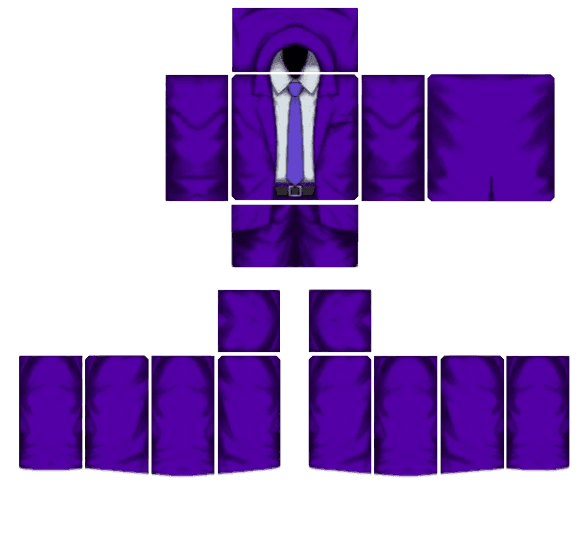
Royal Violet Executive Suit - Transparent Roblox Shirt Template PNG
Remix in 3DView Details
Royal Violet Executive Suit
by Beetech Agency585×559
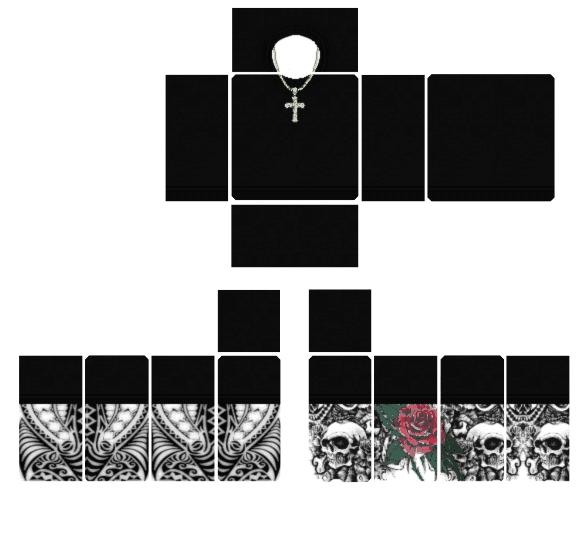
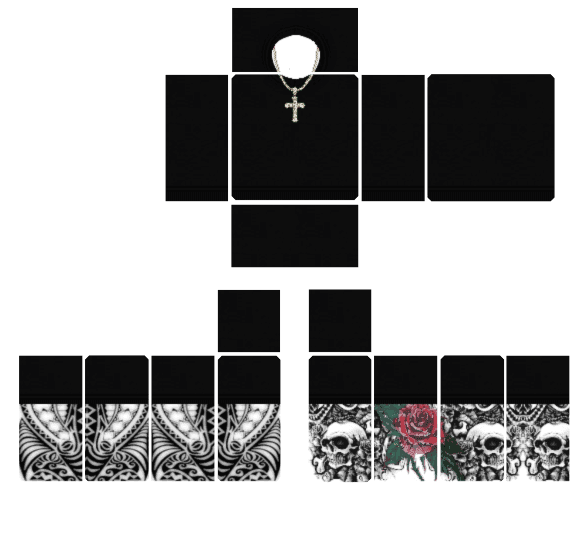
Skull Tattoo Outfit - Transparent Roblox Shirt Template PNG
Remix in 3DView Details
Skull Tattoo Outfit
by AWFNIUTYfoltfan585×559
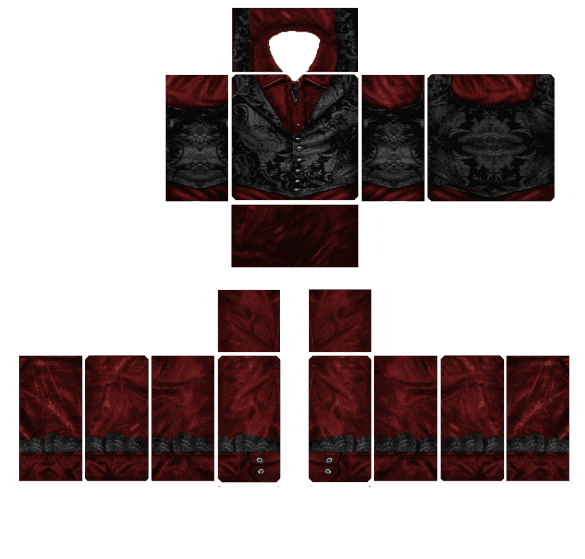
Crimson Gothic Aristocrat - Transparent Roblox Shirt Template PNG
Remix in 3DView Details
Crimson Gothic Aristocrat
by MD Kamran Ullah 1462585×559
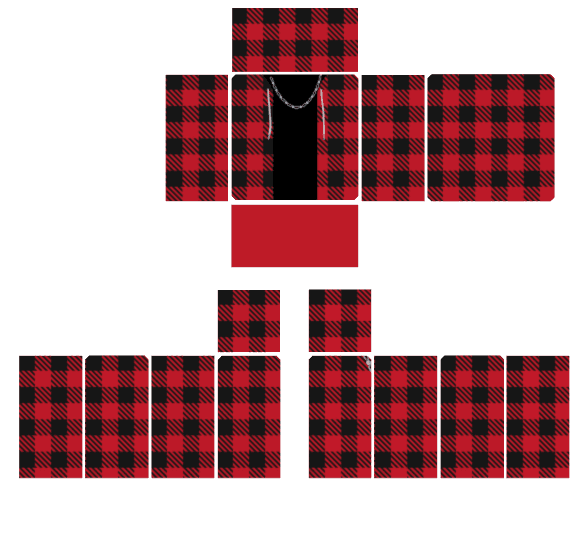
Red Plaid Flannel - Transparent Roblox Shirt Template PNG
Remix in 3DView Details
Red Plaid Flannel
by MD Kamran Ullah 1462585×559
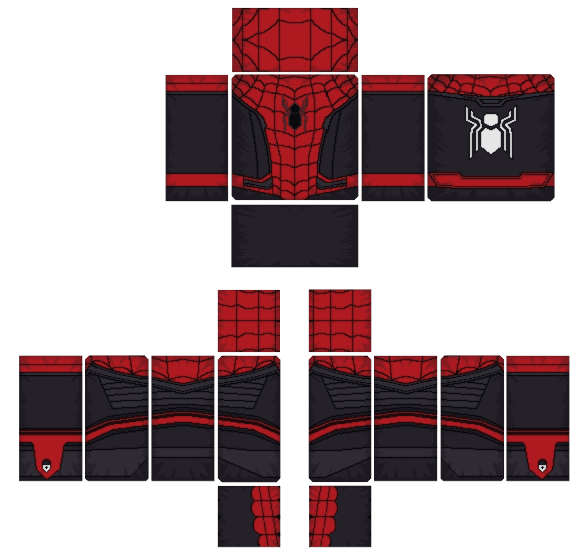
Red and Black Spider Hero - Transparent Roblox Shirt Template PNG
Remix in 3DView Details
Red and Black Spider Hero
by MD Kamran Ullah 1462585×559
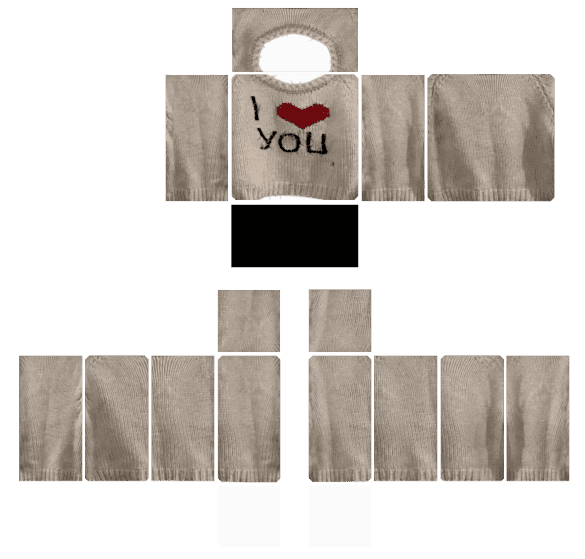
"I Love You" Cream Sweater - Transparent Roblox Shirt Template PNG
Remix in 3DView Details
"I Love You" Cream Sweater
by MD Kamran Ullah 1462585×559
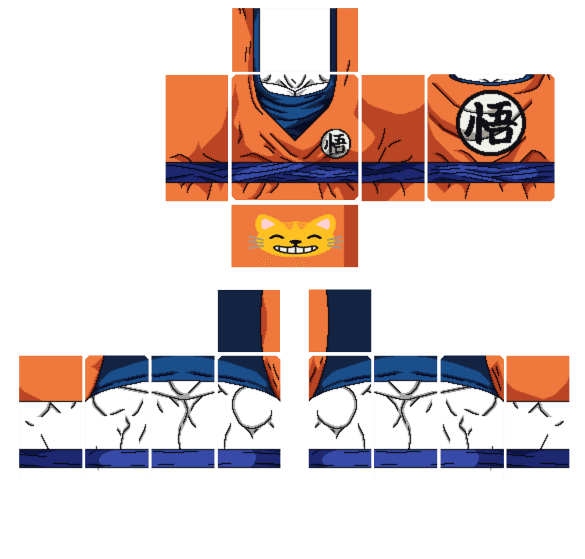
Saiyan Battle Gi - Transparent Roblox Shirt Template PNG
Remix in 3DView Details
Saiyan Battle Gi
by MD Kamran Ullah 1462585×559
Gothic Tattoo Ensemble - Transparent Roblox Shirt Template PNG
Remix in 3DView Details
Gothic Tattoo Ensemble
by MD Kamran Ullah 1462585×559
Browse Full Skins Library to Find and Customize More Outfits
Frequently Asked Questions

Roblox Shirt Template Questions and Answers

HomeTemplatesRoblox Shirt Template and Creator Guide
Creator Guide & Template Downloads

Roblox Shirt Template and Creator Guide

585 × 559 px Verified•Updated Monthly•Author: BloxLux 3D Team•Transparent PNG Canvas

Making your own custom clothing is one of the coolest parts of the game. Whether you want a fresh streetwear outfit for your avatar, want to dress your friends, or want to launch your own clothing brand to earn Robux, everything starts with the Roblox shirt template.

When designing a shirt template in Roblox, classic shirts wrap all the way around your avatar’s body, shoulders, and arms in 3D (unlike simple flat graphic T-shirts). Because of how Roblox maps textures, your canvas must use the exact 585 × 559 pixel resolution with an 8-bit alpha transparency channel so sleeve seams match up cleanly. Below, you can download the clean transparent shirt template Roblox creators use, see how each UV island fits on an interactive 3D model, and design your custom clothes with our BloxLux 3D Web Clothing Editor & Transparent Canvas Loader.

Anatomy & Dimensions

How a Roblox Shirt Template Works in 3D

Think of a Roblox template shirt like a paper cutout that folds around your character. It is a single flat 2D sheet that Roblox wraps around your avatar's 3D body. The layout is strictly divided into three primary zones: the Torso (front, back, and sides) in the center, the Right Arm on the right, and the Left Arm on the left.

Transparent Roblox shirt template 585x559 PNG layout showing front, back, and sleeve coordinatesR15 / Classic UV Layout585 × 559 px

Each side is color-coded so you know where you’re drawing: Red is Front, Blue is Back, Green is Right, Yellow is Left, Light Blue is Top (shoulders), and Orange is Bottom (waist and wrists).

Canvas Specifications

Every element must match the exact pixel grid to prevent blurry avatar stretching.

Total Canvas585 × 559 Pixels
Color ModeRGB / PNG-24 (Alpha)
Front & Back Torso128 × 128 Pixels each
Torso Sides (L/R)64 × 128 Pixels each
Arms Front & Back64 × 128 Pixels each
Shoulders & Wrists64 × 64 Pixels (Up/Down)

Interactive 3D Avatar Preview (Live UV Template Wrap)

See how the template folds around the character. Click and drag to spin the avatar 360°.

Loading 3D Avatar Preview...
Drag to rotate 360° • Scroll to zoom
Step-by-Step Creator Flow

How to Create Custom Roblox Shirts Templates in BloxLux Editor

Designing a custom shirt template Roblox players love to wear has never been simpler. With the BloxLux 3D Clothing Editor and transparent canvas loader, you can draw, add 3D accessories, or import graphics directly onto the 585×559 layout and watch your shirt update on an interactive 3D character in real time—no guessing where seams will meet.
Uploading 585x559 transparent Roblox shirt template into BloxLux 3D web clothing editor
Adding pre-shaded 3D accessories ties and suspenders to Roblox shirt template
Drawing custom patterns stitches and geometric shapes on Roblox shirt template canvas
Custom text and typography placement on transparent Roblox shirt template
Step 01 of 04•Upload Tool

Upload a Shirt Template or Your Own Graphics

Drop in any 585×559 PNG or artwork and watch it wrap on the 3D model

Open 3D Web Editor

Click Uploads on the left menu and hit "Upload to Shirt". Your graphic wraps onto the 3D character right away, so you can check how it looks from every angle. You can also switch between Boy, Girl, and Blocky body types to make sure it fits everyone.

Locks automatically to the 585×559 template layout
Keeps transparent cutouts for short sleeves and open collars
Spin in 360° to check the fit on different avatar shapes

Pro Creator Tip: Keep your designs inside the dashed guide boxes so nothing gets stretched or cut off at the seams.

01

Open the 3D Web Editor

Launch the BloxLux Editor right in your browser. You don’t need to download or install anything—it works on any PC, Mac, or tablet.

02

Pick Shirt Mode

Choose Shirt Mode. The canvas automatically locks to the standard 585×559 size with clear guidelines showing where each body part goes.

03

Paint, Draw, or Add Images

Pick your shirt colors, upload logos or stickers, and sketch your design. You can see your changes on the 3D avatar as you make them.

04

Add Fabric Folds & Shading

Turn on shading layers to add realistic fabric folds, wrinkles, and collar shadows so your shirt looks 3D rather than flat.

05

Check All Angles in 3D

Spin the avatar around 360 degrees to make sure your sleeve stripes, side seams, and back graphics line up without breaking.

06

Download & Upload to Roblox

Click Export to save your transparent 585×559 PNG. Head over to the Roblox Creator Hub under Classic Shirts, pay the 10 Robux fee, and you’re live!

Ready to Make Your First Custom Shirt?

Jump into the editor now. Pick from ready-to-use textures, custom stickers, and realistic shading templates with instant 3D preview.

Launch 3D Editor
Zero Robux Inspection

How to Preview Roblox Shirts Before Uploading

Uploading a shirt to Roblox costs 10 Robux, and once you upload, there are no refunds if your seams look crooked or your logo gets stretched across an arm joint. Testing your roblox transparent shirt template on an interactive 3D avatar before paying helps you catch mistakes early and make sure your outfit looks great from every angle.

1. Load Any 585×559 PNG

Drop in your saved shirt or pants PNG directly from your computer or phone. It wraps onto the 3D character in seconds.

2. Check 360° Seam Alignment

Spin the model around to inspect the shoulders, armpits, and waistline so your textures match up seamlessly.

3. Test on Different Characters

Switch between Blocky, Boy, and Girl avatar bodies to make sure your clothes look good on any player.

Instant 3D Checker

Ready to test your shirt design in 3D?

Use our BloxLux 3D Clothing Previewer to check any shirt or pants template before spending Robux on Roblox.

Open 3D Clothing Previewer
Ready-to-Use Shirt Templates

Popular Shirt Templates Ready to Remix

Click any shirt to customize it in the 3D editor or view its flat 2D template.

8 Popular Shirts
Royal Violet Executive Suit - Transparent Roblox Shirt Template PNG
Remix in 3DView Details
Royal Violet Executive Suit
by Beetech Agency585×559
Skull Tattoo Outfit - Transparent Roblox Shirt Template PNG
Remix in 3DView Details
Skull Tattoo Outfit
by AWFNIUTYfoltfan585×559
Crimson Gothic Aristocrat - Transparent Roblox Shirt Template PNG
Remix in 3DView Details
Crimson Gothic Aristocrat
by MD Kamran Ullah 1462585×559
Red Plaid Flannel - Transparent Roblox Shirt Template PNG
Remix in 3DView Details
Red Plaid Flannel
by MD Kamran Ullah 1462585×559
Red and Black Spider Hero - Transparent Roblox Shirt Template PNG
Remix in 3DView Details
Red and Black Spider Hero
by MD Kamran Ullah 1462585×559
"I Love You" Cream Sweater - Transparent Roblox Shirt Template PNG
Remix in 3DView Details
"I Love You" Cream Sweater
by MD Kamran Ullah 1462585×559
Saiyan Battle Gi - Transparent Roblox Shirt Template PNG
Remix in 3DView Details
Saiyan Battle Gi
by MD Kamran Ullah 1462585×559
Gothic Tattoo Ensemble - Transparent Roblox Shirt Template PNG
Remix in 3DView Details
Gothic Tattoo Ensemble
by MD Kamran Ullah 1462585×559
Browse Full Skins Library to Find and Customize More Outfits
Frequently Asked Questions

Roblox Shirt Template Questions and Answers