High-Top Kicks585×559
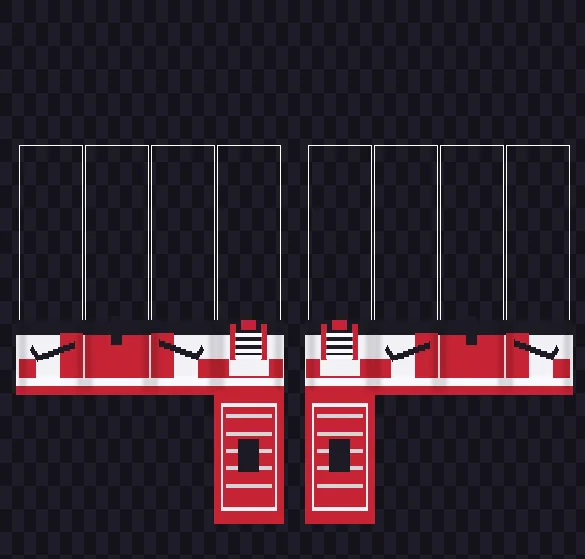
Colorblock High-Top Jordans Overlay PNG
Pre-mapped 36px basketball high-tops (y=446..482) with red mudguards, crisscross white laces, mirrored side checks, and red/white soles.
585 × 559 PNG36px High-TopTreaded D-Soles
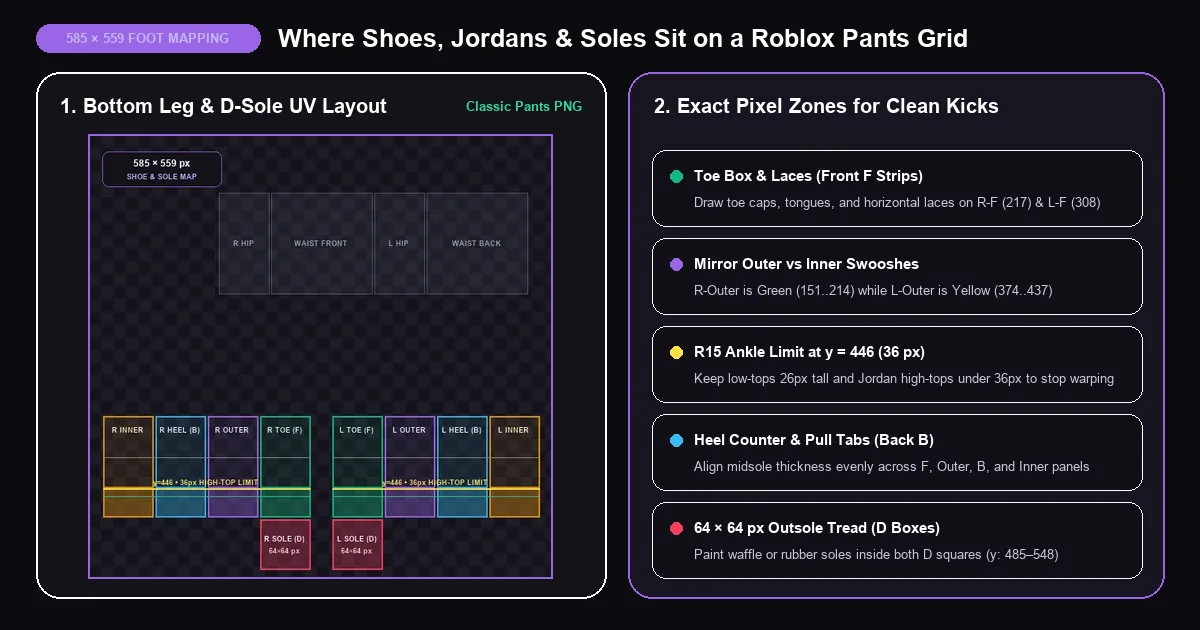
What is a Roblox shoes template and what canvas size does it use? In classic 2D Roblox clothing, there is no separate "Shoes" upload button in Creator Hub. Instead, every classic sneaker, basketball high-top, skate shoe, and combat boot is designed on the official 585 × 559 pixel Classic Pants template saved as a transparent .PNG file. Roblox wraps the bottom 24 to 36 pixels of the eight vertical leg strips around your avatar's ankles and toes, while folding the two 64 × 64 pixel D squares directly underneath the soles of your feet.
Because a Roblox shoe template uses an 8-bit transparent alpha background, you can use it in two clever ways. Drop a transparent Jordans Roblox template or boot overlay on a layer right above your jeans or sweatpants to swap footwear in seconds—or leave the upper waist and leg panels completely transparent so you can wear standalone sneakers with shorts and bare avatar legs. Below, you can inspect exact foot coordinates, test kicks live in our BloxLux 3D Sneaker & Foot Mapping Preview, and download ready-to-layer PNGs.
On a 585 × 559 Classic Pants layout, each leg unfolds into four vertical 64 × 128 pixel strips (y=355 down to y=482) plus a 64 × 64 pixel bottom cap. Knowing two exact pixel rules—the y=446 R15 ankle bend line and Left-to-Right side mirroring—keeps your kicks sharp on every avatar body.
| Footwear Style | Pixel Height | Y-Axis Span on Legs | Midsole & D-Sole Notes |
|---|---|---|---|
| Low-Top Skate & Court Kicks | 24 – 28 px tall | y = 455 .. 482 | 6px white foxing band (y=476..482) + gum or dark D-sole |
| High-Top Jordans & Basketball | 32 – 36 px tall | y = 446 .. 482 | Stops right at y=446 R15 ankle joint; 4 lace bars on Front F |
| Lace-Up Combat & Work Boots | 42 – 48 px tall | y = 434 .. 482 | 8px chunky lug sole + welt stitch at y=473 + tall eyelet shaft |
| Tall / Knee-High Boots | 58 – 68 px tall | y = 414 .. 482 | Keep top rim below y=407 so R15 knee bends never split the cuff |
| Bottom Outsoles (Both Feet) | 64 × 64 px each | y = 485 .. 548 | Right D at x=217..280, Left D at x=308..371 (bleed 3px outside) |
Switch between all five footwear presets below—or upload your own 585 × 559 PNG—and drag to spin or tilt underneath the character to inspect laces, side stripes, and bottom soles.
Each overlay below is saved at the exact 585 × 559 pixel Classic Pants resolution with a completely see-through upper canvas. Preview cards are zoomed onto the lower leg and D-sole region so you can see the laces and tread clearly—your downloaded PNGs snap straight onto any pants file in BloxLux, Photopea, Paint.NET, or IbisPaint X.
Pre-mapped 36px basketball high-tops (y=446..482) with red mudguards, crisscross white laces, mirrored side checks, and red/white soles.
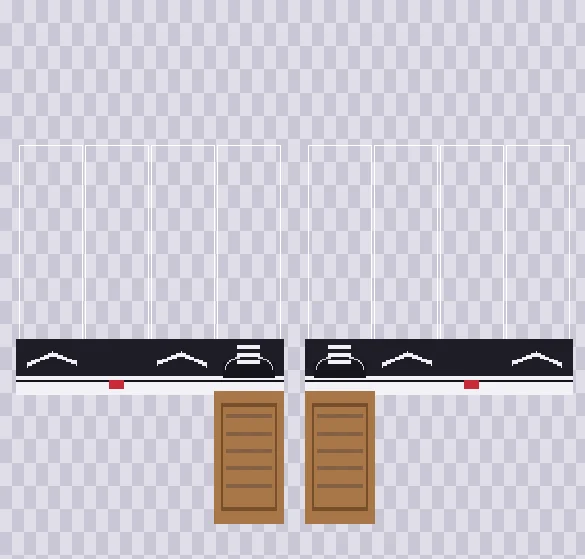
Shaded in rich #1E1D26 charcoal instead of flat black so the white side wave, suede toe cap, laces, and vulcanized foxing stay sharp.
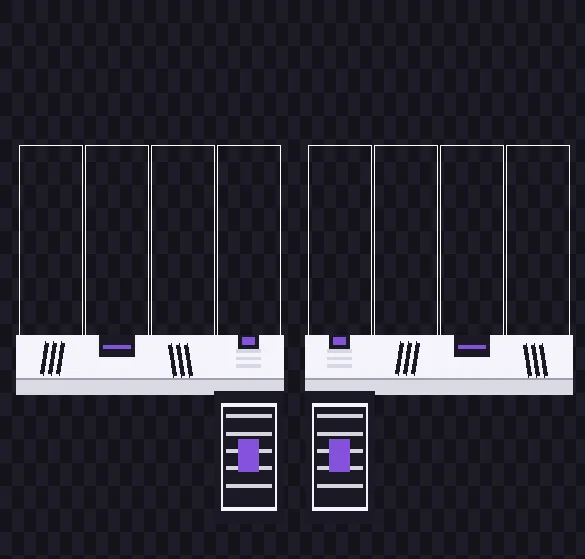
Clean white athletic court trainers with properly mirrored triple side stripes across Right and Left legs, tongue tag, and cushioned soles.
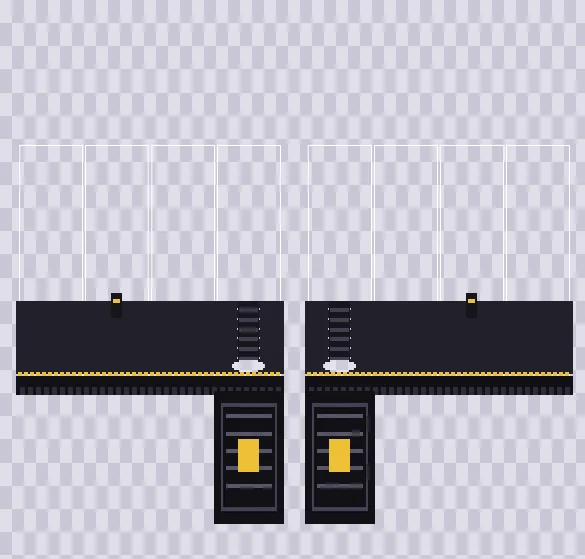
Tall 46px punk and utility boots featuring 6 eyelet lace rungs, yellow welt stitching, chunky tractor tread, plus our Foot UV Ruler below.
Because the foot zone on a Classic Pants strip is only 64 pixels wide, crowded photo-pasted sneakers often turn blurry in-game. Clean pixel colorblocking and proper side mirroring make custom kicks look ten times sharper.
When building a Jordans Roblox template or a Roblox Adidas shoes template with angled triple stripes, never copy-paste the exact same side strip onto both legs without flipping it horizontally. On Right Leg, the outer panel (x=151..214) faces toward the toe on its right; on Left Leg, the outer panel (x=374..437) faces toward the toe on its left.
Anyone searching for a black shoes Roblox template or Roblox black shoes template runs into the same trap—pure #000000 turns the whole foot into a flat black brick. Base-fill dark canvas or leather in deep charcoal (#1E1D26) and separate the shoe from dark jeans using a 5-pixel white midsole or subtle gray toe stitching.
For a boots Roblox template, extend the leather shaft up to y=436, notch 4-pixel lug blocks along y=481..484, and add a dashed yellow welt stitch line right above the sole. Pairing high-tops with baggy jeans? Let your denim shading layer overlap the top 4 pixels of the tongue while leaving the front laces visible.
New creators often wonder whether to build a 3D mesh shoe in Blender or paint a 2D Roblox shoes template. Publishing 3D Layered Shoes to the Avatar Marketplace requires ID verification, strict cage-mesh rigging, and steep publishing advances—plus bulky 3D shoes frequently clip inside classic R6 blocky legs or get disabled inside competitive obby and fighting experiences. A 2D 585 × 559 Classic Pants sneaker texture costs only 10 Robux to upload, never clips through pant hems, and loads in every R6 and R15 Roblox server ever made.
Before submitting your finished sneakers under Creations → Avatar Items → Classics → Classic Pants, double-check four essentials. First, confirm the exported file measures an exact 585 × 559 pixels in 8-bit RGBA PNG format so bare-leg transparency stays intact. Second, delete the bright color-coded UV template layer underneath your artwork so neon guide borders do not wrap around your ankles. Third, bleed your outsole color 3 pixels outside both 64 × 64 D squares, and spin the 3D preview above to verify both outer logos point toward the toes.
Matching shoe midsoles across eight separate 2D strips in traditional paint software is tedious. Inside bloxlux.com/editor and bloxlux.com/clothing-previewer, you layer and inspect every sneaker seam live on a 3D rig before uploading.
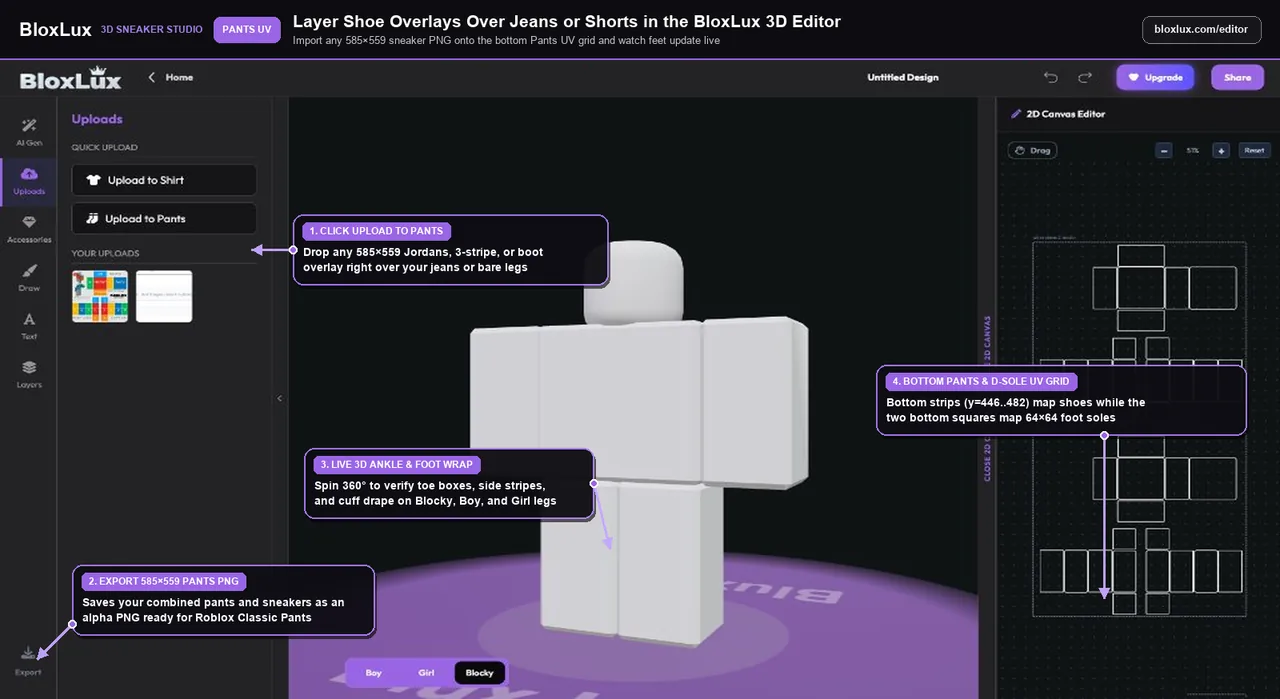
Open the BloxLux 3D Editor, switch to Uploads on the left toolbar, and click Upload to Pants. Import any of our 585 × 559 transparent shoe PNGs right over your denim or jogger base color—or paint custom laces, swooshes, and toe caps while watching the 3D avatar’s feet update live.
Want to swap your own custom kicks onto an existing pair of baggy jeans, shorts, or joggers? Click Remix in 3D on any 585 × 559 outfit below.